

Why Choose Digital Display Signage for Your Business?

A shop window can change before the morning rush. A café can replace a lunch offer in minutes, while a reception screen can guide visitors without another printed sign. Digital Display Signage gives businesses this flexibility, but a bright screen alone does not guarantee results. The message must be useful, readable, and suited to the place where people see it.

Digital-signage journalist Dave Haynes has often stressed a practical point: relevant content matters more than the screen itself. That idea frames this article’s discussion of why businesses choose Digital Display Signage. It will examine timely promotions, clearer customer communication, consistent branding, and the ability to update messages across multiple locations. It will also consider practical factors such as screen placement, readability, content planning, and ongoing costs.

The benefits are real, but not automatic. A display mounted too high may be ignored; a crowded layout can lose readers before they reach the offer. Some businesses may find that printed signs work perfectly well for a small, stable menu. That matters. The right choice depends on audience, location, budget, and the frequency of change. A careful evaluation—and a simple way to measure engagement—can help owners decide whether digital screens solve a real communication problem or merely add another device to manage.
Why Choose Digital Display Signage for Your Business?

What Digital Display Signage Is and How It Works

Digital display signage uses electronic screens to show changing information, images, or video in a physical location. A typical setup includes a screen, a media player, and software for preparing and scheduling content. The player sends the selected files to the screen. It may connect to the software over a network, or store content locally for playback when the connection drops. Nothing mysterious.

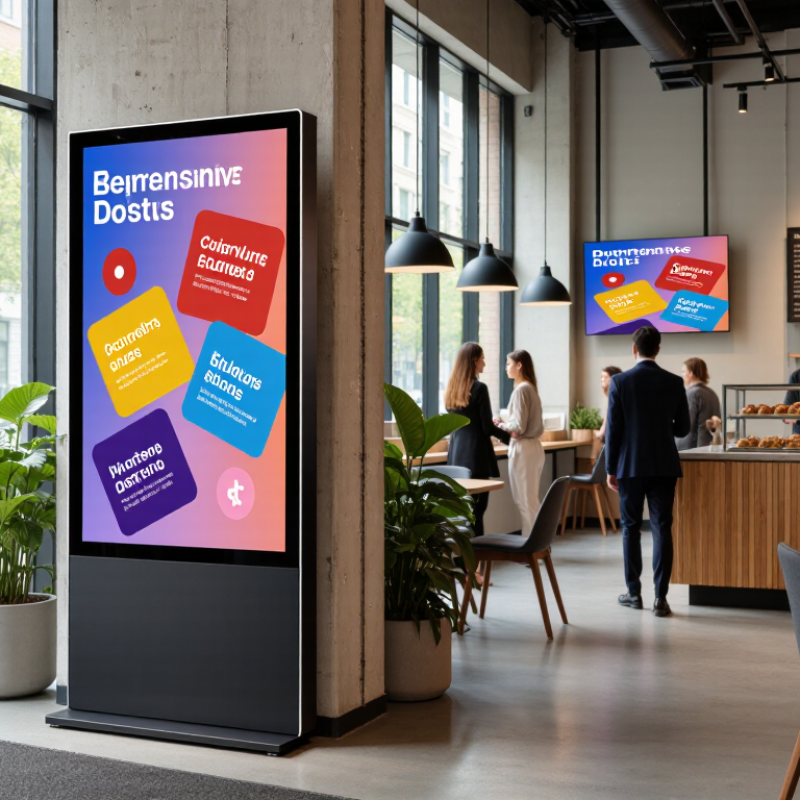
For example, a café might schedule breakfast menus for the morning and a different offer for the afternoon. Staff create the content, choose which screen should show it, and set a playback time. The system then updates the display, either remotely or through a local connection. Screen size, brightness, viewing distance, and update frequency all affect how clear and useful the message feels. A bright screen near a sunny window may need different settings from one in a dim hallway. Technology alone does not make a message effective; cluttered slides can still be hard to read. This is easy to overlook.

Tips: Use large text, strong contrast, and one clear message per screen. Check the display from the distance customers will stand. Keep a manual update plan, too; networks can fail.

Where Businesses Use Digital Display Signage

Retail stores use digital display signage for changing prices, promotions, and wayfinding near busy aisles. A screen beside a bakery can show today’s bread, while a display at checkout highlights a short seasonal offer. Arbitron’s 2006 Digital Video Displays study found that 70% of Americans had seen a video display in a public venue during the previous month. In that survey, 19% said a display had prompted an unplanned purchase. The figures are useful context, not a current guarantee; viewing habits have changed.

Restaurants can update menus as items sell out, and hotels can direct guests from the lobby to meeting rooms. Transit hubs use screens for platform changes and service notices, where timing matters more than decoration.

In clinics, clear queue updates may reduce uncertainty, though screens should never replace staff guidance. Workplaces also use them for room schedules and safety reminders. Keep messages readable from a few steps away. That matters.

AVIXA’s Digital Signage End-User Survey has tracked adoption across settings, but the practical lesson is local: placement and content must fit each audience. A screen can be bright and still be ignored. Check whether people actually notice it.

How Digital Signage Supports Customer Communication

Digital display signage helps businesses share timely information where customers make decisions.

A café can show today’s soup, allergen details, and pickup instructions near the counter.

A clinic can explain check-in steps while visitors wait.

Clear visuals may reduce repeated questions and give staff more time for personal support.

Give each screen one clear purpose. Use readable type, strong contrast, and plain language; place key details where customers can see them. Update prices, hours, and service notices promptly, and assign someone to check them.

Outdated information can weaken trust. A screen is not a conversation by itself. Some customers still need spoken help, and crowded layouts can confuse rather than guide.

Ask staff which questions keep coming up, then adjust the messages. Small changes matter.

Tips:

Keep each screen focused on one task. Use short phrases. Add a clear next step, such as “Ask at the desk.” Check readability from the customer’s usual viewing distance. If the message feels unclear to staff, it may confuse visitors too.

What Costs and Practical Factors Businesses Should Consider

Digital signage costs extend well beyond the screen. A 500-watt display running 12 hours daily uses about 2,190 kilowatt-hours a year, before cooling and standby power. The U.S. Energy Information Administration reported an average commercial electricity price of about 12.7 cents per kilowatt-hour in 2023. At that rate, the example screen costs roughly $278 yearly to run. Actual consumption varies with brightness, operating hours, and content. Check the manufacturer’s typical power draw, not just its peak rating.

Installation can add cabling, mounting, network access, and a technician’s time. Budget for downtime. Grand View Research estimated the global digital-signage market at $28.83 billion in 2023, but market growth does not guarantee a return for an individual shop. Compare the full cost with a specific use, such as updating daily menus without reprinting. Also price content creation, software subscriptions, repairs, and eventual screen replacement. A bright storefront display may need more power and weather protection than one in a quiet lobby. Get written quotes that separate hardware, installation, and recurring fees. Estimates can still miss small costs, like moving a power outlet; check the site before approving a budget.

Why Choose Digital Display Signage?

Indicative U.S. one-time setup cost ranges per screen

Digital signage makes it easier to update messages without reprinting signs and can help businesses keep promotions and information current. These broad planning ranges vary with screen size, brightness, equipment, location, and labor; they exclude content software, electricity, connectivity, and ongoing maintenance. Check indoor or outdoor suitability, network access, content-update needs, and service requirements before choosing a system.

How to Choose and Manage a Digital Signage System

Why Choose Digital Display Signage for Your Business?

How to Choose and Manage a Digital Signage System

Choosing a digital signage system starts with the job it must do. A menu board needs quick updates and readable text; a lobby display may need scheduled messages across several screens. Grand View Research valued the global digital signage market at USD 28.83 billion in 2024 and forecasts 8.1% annual growth from 2025 to 2030. That signals growing investment, not guaranteed results for every business. Set a clear goal, such as reducing printed menu changes or sharing daily store updates, before comparing equipment. Check screen brightness, operating hours, network reliability, accessibility, and who will maintain the system. A low purchase price can hide costs for installation, software, and support.

Tips: Test one screen in its real location. Check glare at noon, text visibility from the entrance, and whether staff can update content without technical help. Keep a simple publishing calendar, assign an owner, and review outdated messages weekly. Track a practical measure, such as update time or customer questions. Small pilot first.

One detail is easy to overlook: content maintenance takes time. A screen with stale promotions can weaken trust, even when the hardware works well. Document login access and backup steps, then train at least one alternate staff member. The system may still need occasional troubleshooting; plan for it rather than assuming it will run itself.

Why Choose Digital Display Signage for Your Business? - How to Choose and Manage a Digital Signage System

Decision Area What to Evaluate Practical Guideline Management Action
Business objective The specific job the screens need to do, such as displaying schedules, wayfinding, promotions, or service updates. Define one primary objective and a measurable outcome before selecting equipment or software. Track a relevant measure, such as message accuracy, customer inquiries, or campaign response.
Screen location and environment Viewing distance, ambient light, operating hours, mounting position, and whether the display is indoors or outdoors. Match screen brightness, enclosure, and operating specifications to the actual installation environment. Document each screen’s location, model, orientation, power source, and environmental requirements.
Resolution and layout Screen resolution, aspect ratio, text size, image quality, and whether the content is landscape or portrait. Full HD is 1920 × 1080 pixels; 4K UHD is 3840 × 2160 pixels. Prepare content in the display’s native resolution and orientation. Preview content on the actual screen and check legibility from the intended viewing distance.
Content management Scheduling, remote publishing, reusable templates, approval workflows, and support for the required media formats. Confirm that authorized staff can update content remotely and that scheduled items use the correct time zone. Assign content owners, review dates, and approval responsibilities for each screen group.
Network and playback Internet availability, device connectivity, local playback, and how the system handles a network interruption. Check whether players can cache approved content and continue playback during a temporary connection loss. Test connectivity at the installation site and monitor device status after deployment.
Security and access User permissions, account security, software updates, and protection of the network-connected players. Use individual accounts, least-privilege access, strong authentication, and a documented update process where supported. Review access regularly and remove accounts when staff no longer need them.
Accessibility and readability Contrast, text size, reading time, color use, and whether essential information is understandable without sound. Use clear language, strong text-to-background contrast, and captions for meaningful spoken content. Check content on-screen in its real environment and avoid relying on color alone to communicate meaning.
Reliability and maintenance Warranty, support response, replacement process, monitoring tools, and expected maintenance tasks. Set an internal availability target based on business needs; define how outages will be detected and escalated. Keep an inventory and maintenance log, and test screens and players on a regular schedule.
Pilot and performance review Whether the chosen setup works for real users, content workflows, network conditions, and operating costs. Test a small number of screens before expanding; compare results with the objective defined at the start. Review performance, staff feedback, and total operating costs, then refine the rollout plan.

Note: Practical guidelines are starting points; confirm equipment, accessibility, safety, and network requirements for each installation.

Powder Coat Booths

For those larger-sized parts, or smaller quantity runs, we have 2 independent powder coat booths and ovens. The quality, durability and affordability of today’s powder coating finishes make this the process of choice for world-class companies.

Powder coating advantages over other forms of coating are many. Materials used in the Powder coating process can be metals and non-metals that come in a multitude of thicknesses, textures, colors, etc. Another of Powder coating’s biggest advantages over conventional coatings is its ability to create finishes in many different textures. Powder Coating Booths allow us the ability to apply these advantages to large products.

Wet Paint Line

Tri-State Fabricators runs a full-service conveyor line for painting. Wet painting can provide protection or decoration to many different part styles. From start to finish, every project is easier to undergo random and point-based inspection by our skilled painting team.

Advantages to our Wet Paint Line are these lines start with product prep and ends with a thorough inspection of a high quality finished product. Our ability to complete large and small projects with a superior finish and doing so in a timely and economical fashion. This passes along the savings in production to our customers. When powder coating ins not an option, our Wet Paint Line gets the job done right the first time.

Wet Paint Booths

When the parts get big and heavy we roll-out our custom paint racks and oversize booth. By utilizing our partnerships with all the major paint brands, we can match virtually any color with wet paint.

The advantages of having access to a Wet Paint Booth are many. Large projects of many different shapes can be loaded into the booth. The Wet Paint Booth offers an environment that is much more controlled than a typical parts painting operation.

Not only are they used because of their controlled environment, but they’re are also advantageous when it comes to applying paint to parts that are needed in industries that require specialty coatings such as medical, aerospace, etc.

Military CARC

Our military forces have some very high standards when it comes to the finish of their vehicles and equipment. From the first pre-treatment step to final coat, it takes a great deal of knowledge and experience to protect the men and women of our armed forces. They deserve only the best, and Tri-State Fabricators provides it.

All of our processes are closely monitored by our staff and management teams. Both of which are highly trained in the processes of metal fabrication and finishing. Tri-State Fabricators’ goal is to always fully satisfy each and every customer, including the military. We will always put a 110% into what we do.

Glass-Bead Blasting

Abrasive media blasting is an excellent way to remove old paint, rust, and increase the paint/powder adhesion. Glass beads produce a much smoother and brighter finish than angular abrasives; leaving the part clean yet without any dimensional change. Chemically inert and environmentally friendly, we can recycle our beads approximately 30 times; making them a more preferred method of metal cleaning or surface finishing.

Advantages to Glass Bead Blasting are many. Glass bead blast media is used when a project is needing rough surfaces need to become smooth for applications of coatings such as paint. It is typically used to clean paint and rust from a product surface without deforming the surface it is being used on. Overall, compared to many other blasting media, Glass Bead Blasting is a very economical choice and those savings are always passed on to our customers.

Part Washing

Tri-State Fabricators utilize a zinc phosphate wash to clean and etch the material to ensure the best paint adhesion possible. The unique design of our 3-stage wash system does the work like a 5-stage. From Cleaning and rinsing to conversion coating and post-treatment, Our Part Washing process is a complete service and works throughout the fabrication service and the finishing service.

Along with the previously mentioned benefits, Curing is a vital chemical reaction that leaves the product finish hard and relatively safe from mild abrasion and aggressive corrosion. This process can be done in more than one way; ambient air-dry or in curing ovens at temps that exceed 240°.

Burn-Off Oven

From fixing paint mistakes (someone else’s of course) to simply cleaning our paint line hooks, our burn-off oven is put to good use. After a quick burn-off, a little clean up, and a fresh coat of paint, your parts will look better than new.

Why does our Burn-Off Oven work so well? Because super heating the air around parts turns the materials into ashes. From paint and powder coatings to rubber and machining oils, high temps do the job without degrading the integrity of the part.

Masking

Masking is a vital part of producing high quality products. We have die-cut masking patterns to protect machined surfaces as well as a wide range of plugs and caps to protect threaded holes and bolts. We provide permanent and temporary masking.

Masking allows the selected sections of a product to be protected from a fabrication or finishing service. This can be with both chemicals when etching and tapes, paints when only finishing just a section of the product. Masking is great in aiding the customization process of a project.

Screen Printing

Screen printing is a photographic process that transfers artwork onto a porous nylon screen which allows colored ink to flow through the screen and be deposited on an aluminum or plastic component. We can generally have just about any design created onto a screen for your parts.

Some of the advantages of Screen Printing are, brand recognition for your business displaying on your products, assembly instructions, product warnings/hazards, etc. Tri-State Fabricators produces Screen Printing of the highest quality so you know it’s durable.

Metal Finishing

Metal Finishing is the art of treating the exterior portion of product, often metal but can also be made of other materials, so that the surface is clean and free of any debris. Then the process of applying coats or either paint of powder coat takes place. This coating process improves the quality of the product in both appearance and resistance to wear and corrosion.

Tri-State Fabricators, Inc., understands that a project typically isn’t complete until a high-quality finish has been added to your product. This is why our painting and powder coating teams continuously inspect the products throughout the Metal Finishing process.