


What Is an LCD Monitor?

An LCD Monitor is a screen that creates images by controlling how light passes through liquid crystals and color filters. Most models use a backlight, often LED-based, because liquid crystals do not produce light themselves. On a desk, that light becomes crisp text, a spreadsheet grid, or a moving image. The term can be confusing. “LED monitor” usually refers to an LCD monitor with LED backlighting, not a completely different type of display.

Understanding how an LCD Monitor works can make shopping and everyday use less guesswork. This guide explains its main components, how pixels form colors, and how features such as resolution, refresh rate, and panel type affect the picture. It also compares common strengths and limitations, including power use, viewing angles, and motion clarity. Results vary by model and settings, so a specification sheet cannot tell the whole story. A bright display in a shop, for example, may look different at home beside a window. Small details matter. Knowing what to check can help match a monitor to work, gaming, or general browsing without paying for features you may not need. Some distinctions remain messy, even for experienced buyers; product labels are not always consistent. A careful comparison—and, when possible, a real viewing test—offers a more reliable starting point.
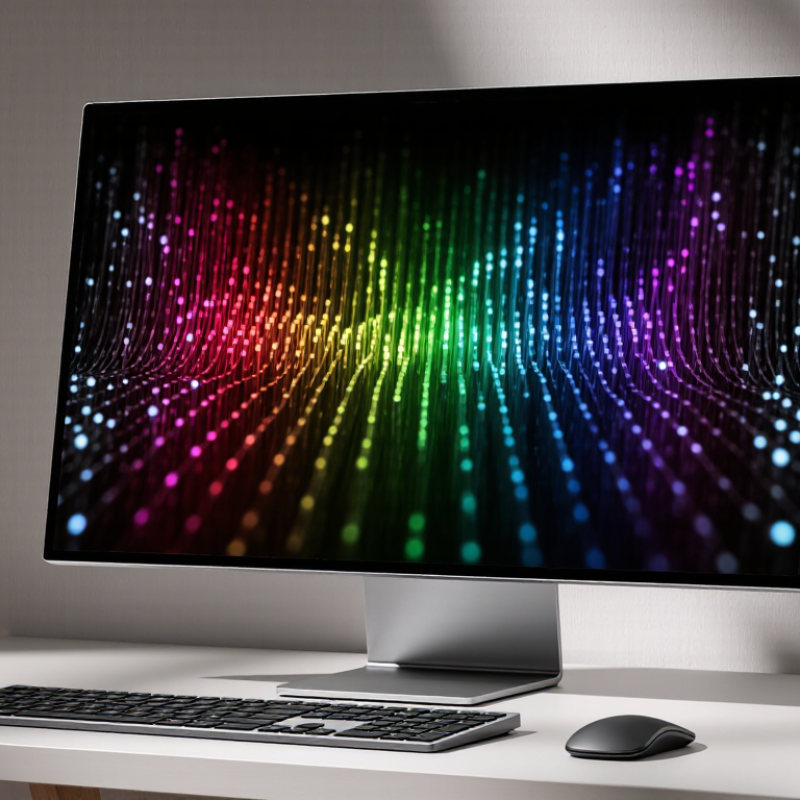
What Is an LCD Monitor?

Definition and Core Characteristics of an LCD Monitor

An LCD monitor forms images by controlling how much light passes through liquid crystal cells. A backlight shines behind the panel, while electrical signals adjust each pixel. Color filters create red, green, and blue subpixels. Together, these produce the picture on screen. The crystals do not generate light themselves. That distinction matters.

Core characteristics include resolution, brightness, contrast, refresh rate, and response time. Resolution describes the number of pixels, such as 1920 by 1080. More pixels can make text and fine edges look sharper, especially on a similarly sized screen. Brightness is measured in nits, while contrast compares dark and light areas. Refresh rate, measured in hertz, indicates how often the image updates. Response time describes how quickly pixels change, though measurement methods can differ.

Panel design also affects viewing angles, color appearance, and motion clarity. Some screens look consistent from the center but shift in color when viewed from the side. A practical check is to display a gray page and move slightly left or right. Notice any change. Specs help, but they do not tell the whole story. Room lighting, screen size, and personal sensitivity can alter how a monitor feels in daily use. Even a technically impressive display may not suit every desk.

What Is an LCD Monitor? — Definition and Core Characteristics

Characteristic Definition Typical Details
LCD monitor A flat-panel display that uses liquid crystals to control how much light passes through each pixel. The liquid crystals do not produce light themselves; a backlight illuminates the image.
Display layers An LCD panel typically contains a backlight, polarizing filters, liquid-crystal cells, color filters, and control electronics. Applying an electric field changes the alignment of the liquid crystals, regulating light transmission.
Backlight The light source behind the panel that makes the displayed image visible. Most modern LCD monitors use LED backlighting. LED-backlit displays are still LCDs; older models may use fluorescent backlights.
Pixels and color Pixels form the image, and each pixel is generally divided into red, green, and blue subpixels. Varying the light passing through each subpixel produces a range of colors and brightness levels.
Native resolution The panel’s physical pixel dimensions and the resolution at which it displays its sharpest image. Common formats include 1920 × 1080, 2560 × 1440, and 3840 × 2160 pixels.
Pixel density and pitch Pixel density describes how many pixels fit into a given area; pixel pitch is the distance between neighboring pixels. Higher pixel density generally produces finer detail at the same viewing distance. Screen size and resolution both affect density.
Refresh rate The number of times the display can update its image each second, measured in hertz (Hz). 60 Hz is common for general-purpose displays; some models support higher rates, such as 120 Hz or more.
Response time The time a pixel takes to change from one state to another, usually reported in milliseconds (ms). Results depend on the transition and measurement method, so figures from different displays may not be directly comparable.
Brightness The amount of light emitted by the display surface, commonly measured in candelas per square metre (cd/m²). Many standard desktop displays are rated around 250–400 cd/m², though actual specifications vary by model and operating mode.
Contrast ratio The ratio between the brightest white and darkest black a display can produce under specified conditions. Contrast varies with panel design, settings, and measurement method; dynamic contrast figures are not directly comparable to static contrast.
Viewing angle The range of positions from which the image remains acceptably visible. Color and contrast can shift when viewed off-center. Published angle ratings depend on the test standard and threshold used.
Power use The electrical power consumed by the monitor while operating. Consumption depends on screen size, brightness, refresh rate, backlight settings, and operating mode.

Note: The figures above are general examples, not universal specifications. Exact characteristics differ among LCD panels and monitor configurations.


How an LCD Monitor Produces an Image

An LCD monitor builds each image by controlling light, not by making light at every pixel. A backlight shines through a rear polarizer and a thin layer of liquid crystals. Tiny hinges. Not magic. Voltage changes how the crystals twist, which alters how much light passes through a second polarizer. Red, green, and blue color filters sit over subpixels; varying their brightness creates the colors seen on screen. A thin-film transistor array addresses these subpixels individually, updating them many times each second.

Pixel count gives a sense of the precision involved. The Consumer Technology Association’s 4K Ultra HD display definition specifies 3,840 by 2,160 pixels, or about 8.3 million pixels. Each pixel contains three colored subpixels, so the panel must regulate millions of small light openings. The International Committee for Display Metrology’s Information Display Measurements Standard sets procedures for assessing properties such as luminance, contrast, and response time. Those measurements matter because a monitor can look bright in a sunlit office yet show weak shadow detail. The explanation sounds neat; real panels are less uniform. Viewing angle, backlight leakage, and imperfect crystal alignment can all change what the eye sees.

Key Components of an LCD Monitor

What Is an LCD Monitor?

Key Components of an LCD Monitor

An LCD monitor forms images by controlling light through a layered panel. Its backlight sits behind the screen, often using LEDs, and provides the illumination. A diffuser spreads that light so bright areas do not appear as visible points. The liquid crystal layer then adjusts how much light passes through each tiny pixel. It does not create light itself. Polarizing filters help control the light’s direction, while a color filter gives each pixel red, green, and blue subpixels.

A thin-film transistor, or TFT, switches individual pixels on and off. These transistors are arranged across the panel like a fine grid. Driver circuits send signals to the grid, and a controller board translates incoming image data into those signals. A power supply supports the backlight and panel electronics.

The layers are delicate; a small pressure mark on a screen can disrupt pixels beneath the surface. This explanation is simplified. Panel designs vary, and some internal parts are difficult to distinguish without opening the monitor. The image you see depends on these components working together, even though most remain hidden behind the glass.

Common LCD Monitor Types and Specifications

What Is an LCD Monitor? Common LCD Monitor Types and Specifications

An LCD monitor uses liquid crystals to control light from a backlight. The panel type affects how images look. Twisted nematic (TN) panels often offer fast response and high refresh rates, but colors and viewing angles can be limited. In-plane switching (IPS) panels usually show more consistent color from the side. Vertical alignment (VA) panels commonly deliver deeper blacks, though dark transitions may appear slower. Mini-LED is a backlight design, not a separate LCD panel type; its many dimming zones can improve contrast, but halos may appear around bright objects.

Check resolution, refresh rate, response time, brightness, and contrast together. A 27-inch screen at 2560 × 1440 gives a sharper desktop than 1920 × 1080 at the same size. Refresh rate describes how many times the image updates per second; response-time figures can vary by test method, so treat advertised numbers cautiously. VESA’s DisplayHDR specification uses luminance tiers, including DisplayHDR 1000, which requires a peak brightness level of 1,000 cd/m² under defined tests. IDC’s Worldwide Quarterly PC Monitor Tracker reported 129.8 million monitor shipments in 2022, showing the scale of this product category.

Tips: Match the panel to your use. For side-by-side photo work, check color coverage and viewing angles. For games, compare real response tests, not just the box. Tiny differences matter. A dim room can make high brightness unnecessary.

Uses, Advantages, and Limitations of LCD Monitors

An LCD monitor uses liquid crystals to control how much light reaches each pixel. A backlight supplies the light, while color filters create the image. These screens appear in offices, classrooms, homes, and public information displays. They handle documents, web browsing, video calls, and everyday media well.

Practical benefits matter. LCD monitors are generally slim, lightweight, and energy-efficient compared with older bulky display types. Their sharp text makes spreadsheets and long reading sessions easier on the eyes, though comfort also depends on brightness, viewing distance, and room lighting. Many models offer useful screen sizes without taking up much desk space. That helps in a crowded workspace.

There are limits. Dark scenes may look grayish, especially on some panels, and colors can shift when viewed from an angle. Response time also varies, so fast motion may appear blurred on less responsive displays. A bright screen can feel harsh in a dim room. It is easy to focus only on resolution when choosing a monitor; panel behavior and adjustability deserve attention too. Check the screen at your usual viewing distance, if possible. A tiny flaw can become distracting after hours.

Powder Coat Booths

For those larger-sized parts, or smaller quantity runs, we have 2 independent powder coat booths and ovens. The quality, durability and affordability of today’s powder coating finishes make this the process of choice for world-class companies.

Powder coating advantages over other forms of coating are many. Materials used in the Powder coating process can be metals and non-metals that come in a multitude of thicknesses, textures, colors, etc. Another of Powder coating’s biggest advantages over conventional coatings is its ability to create finishes in many different textures. Powder Coating Booths allow us the ability to apply these advantages to large products.

Wet Paint Line

Tri-State Fabricators runs a full-service conveyor line for painting. Wet painting can provide protection or decoration to many different part styles. From start to finish, every project is easier to undergo random and point-based inspection by our skilled painting team.

Advantages to our Wet Paint Line are these lines start with product prep and ends with a thorough inspection of a high quality finished product. Our ability to complete large and small projects with a superior finish and doing so in a timely and economical fashion. This passes along the savings in production to our customers. When powder coating ins not an option, our Wet Paint Line gets the job done right the first time.

Wet Paint Booths

When the parts get big and heavy we roll-out our custom paint racks and oversize booth. By utilizing our partnerships with all the major paint brands, we can match virtually any color with wet paint.

The advantages of having access to a Wet Paint Booth are many. Large projects of many different shapes can be loaded into the booth. The Wet Paint Booth offers an environment that is much more controlled than a typical parts painting operation.

Not only are they used because of their controlled environment, but they’re are also advantageous when it comes to applying paint to parts that are needed in industries that require specialty coatings such as medical, aerospace, etc.

Military CARC

Our military forces have some very high standards when it comes to the finish of their vehicles and equipment. From the first pre-treatment step to final coat, it takes a great deal of knowledge and experience to protect the men and women of our armed forces. They deserve only the best, and Tri-State Fabricators provides it.

All of our processes are closely monitored by our staff and management teams. Both of which are highly trained in the processes of metal fabrication and finishing. Tri-State Fabricators’ goal is to always fully satisfy each and every customer, including the military. We will always put a 110% into what we do.

Glass-Bead Blasting

Abrasive media blasting is an excellent way to remove old paint, rust, and increase the paint/powder adhesion. Glass beads produce a much smoother and brighter finish than angular abrasives; leaving the part clean yet without any dimensional change. Chemically inert and environmentally friendly, we can recycle our beads approximately 30 times; making them a more preferred method of metal cleaning or surface finishing.

Advantages to Glass Bead Blasting are many. Glass bead blast media is used when a project is needing rough surfaces need to become smooth for applications of coatings such as paint. It is typically used to clean paint and rust from a product surface without deforming the surface it is being used on. Overall, compared to many other blasting media, Glass Bead Blasting is a very economical choice and those savings are always passed on to our customers.

Part Washing

Tri-State Fabricators utilize a zinc phosphate wash to clean and etch the material to ensure the best paint adhesion possible. The unique design of our 3-stage wash system does the work like a 5-stage. From Cleaning and rinsing to conversion coating and post-treatment, Our Part Washing process is a complete service and works throughout the fabrication service and the finishing service.

Along with the previously mentioned benefits, Curing is a vital chemical reaction that leaves the product finish hard and relatively safe from mild abrasion and aggressive corrosion. This process can be done in more than one way; ambient air-dry or in curing ovens at temps that exceed 240°.

Burn-Off Oven

From fixing paint mistakes (someone else’s of course) to simply cleaning our paint line hooks, our burn-off oven is put to good use. After a quick burn-off, a little clean up, and a fresh coat of paint, your parts will look better than new.

Why does our Burn-Off Oven work so well? Because super heating the air around parts turns the materials into ashes. From paint and powder coatings to rubber and machining oils, high temps do the job without degrading the integrity of the part.

Masking

Masking is a vital part of producing high quality products. We have die-cut masking patterns to protect machined surfaces as well as a wide range of plugs and caps to protect threaded holes and bolts. We provide permanent and temporary masking.

Masking allows the selected sections of a product to be protected from a fabrication or finishing service. This can be with both chemicals when etching and tapes, paints when only finishing just a section of the product. Masking is great in aiding the customization process of a project.

Screen Printing

Screen printing is a photographic process that transfers artwork onto a porous nylon screen which allows colored ink to flow through the screen and be deposited on an aluminum or plastic component. We can generally have just about any design created onto a screen for your parts.

Some of the advantages of Screen Printing are, brand recognition for your business displaying on your products, assembly instructions, product warnings/hazards, etc. Tri-State Fabricators produces Screen Printing of the highest quality so you know it’s durable.

Metal Finishing

Metal Finishing is the art of treating the exterior portion of product, often metal but can also be made of other materials, so that the surface is clean and free of any debris. Then the process of applying coats or either paint of powder coat takes place. This coating process improves the quality of the product in both appearance and resistance to wear and corrosion.

Tri-State Fabricators, Inc., understands that a project typically isn’t complete until a high-quality finish has been added to your product. This is why our painting and powder coating teams continuously inspect the products throughout the Metal Finishing process.