

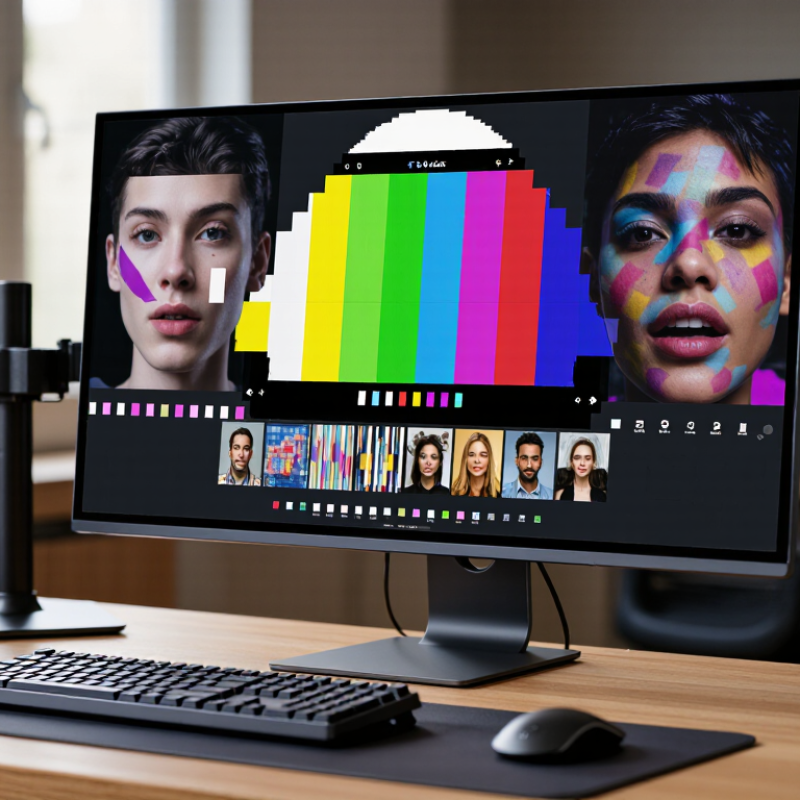
Choosing the right Display Screen Monitor is more difficult than comparing prices and screen sizes. A bright panel may look impressive in a showroom, yet cause eye strain during long office sessions. A fast gaming monitor may feel responsive, but its colors can appear inaccurate in design work. Your desk, software, lighting, and daily habits all matter.
Display analyst Raymond M. Soneira has stated, “The display is the most important component of a smartphone.” The same principle applies to monitors. The screen is where your work, games, measurements, and decisions appear every day. This guide introduces ten practical tips for evaluating a Display Screen Monitor with greater confidence. It considers resolution, pixel density, refresh rate, response time, contrast, color accuracy, HDR performance, ports, ergonomics, and warranty support.
Look beyond specifications.
A 4K label does not guarantee a sharp or enjoyable image. Panel quality varies. Factory calibration can also be inconsistent, even between identical models. I have found that viewing angles, text clarity, and backlight uniformity become obvious only after extended use. That is easy to miss in a short store demonstration.
A reliable choice begins with your real workload. Writers may value crisp text and adjustable brightness. Designers need dependable color coverage and calibration options. Competitive players may prioritize refresh rate and low input latency. Hybrid users often need balance, not the highest number on the box.
These ten tips will help you compare monitors more carefully, question attractive claims, and notice compromises before purchase. No display wins every test. That is the point.
10 Tips to Choose the Best Display Screen Monitor?
Tip 1: Define the monitor’s main job before comparing specifications. DataReportal’s Digital 2024 Global Overview Report estimates that internet users spend about 6 hours and 40 minutes online daily. A monitor for office work needs different strengths than one for design, gaming, or video editing. Text-heavy work benefits from sharp resolution and comfortable brightness. Color work requires stable color reproduction and wide viewing angles. Gaming may prioritize refresh rate and response time. Bigger is not always better.
Tip 2: Study the usage environment carefully. Measure your desk, viewing distance, window position, and available lighting. The Vision Council’s 2023 digital eye strain report shows that screen-related discomfort remains widespread among users. Glare, excessive brightness, and poor posture can make a capable monitor unpleasant. I once chose a bright display for a sunny room, but evening use became tiring. That mistake was avoidable.
Tip 3: Match screen size and resolution to distance. A large, high-resolution panel can show more detail, yet tiny interface elements may slow daily work. For shared offices, choose a stand with height and tilt adjustment. In darker rooms, look for dependable low-brightness performance rather than dramatic showroom brightness. Check these details in person when possible. Specifications can mislead.

Recommended refresh-rate targets vary by usage. General office work, photography, and video production commonly work well at 60 Hz, while gaming benefits from higher refresh rates for smoother motion and faster response.
Use this chart as a starting point, then consider room lighting, viewing distance, screen size, resolution, connectivity, and available desk space before choosing a monitor.
Screen size changes how comfortably you work. Measure your desk first. A 24-inch screen suits a compact workspace, while 27 inches gives documents more breathing room. At 32 inches, viewing distance becomes critical. Sit about 70–90 centimeters away. Otherwise, you may turn your head constantly. StatCounter GlobalStats data from early 2025 shows 1920×1080 remains a major desktop resolution worldwide. It is practical, but not automatically ideal.
Resolution should match screen size. Full HD looks acceptable on a 24-inch panel, with about 92 pixels per inch. On a 27-inch panel, it falls to roughly 82 PPI, so text can appear softer. A 2560×1440 display reaches about 109 PPI at 27 inches. A 4K 27-inch screen reaches approximately 163 PPI. Fine details look sharper. However, operating-system scaling may reduce usable space. The 2024 IDC Worldwide Quarterly PC Monitor Tracker also separates consumer and commercial demand, reminding buyers that work habits matter more than market trends.
Pixel density is only one part of clarity. Check scaling, viewing distance, and font size together. The International Organization for Standardization recommends consistent ergonomic viewing conditions under ISO 9241 guidance. My practical mistake was choosing maximum resolution without testing text. It looked impressive, yet small menus caused fatigue. Compare a spreadsheet, browser page, and photo at normal distance. Leave room for doubt. A larger panel is not always a better screen.
Choosing a display screen monitor starts with panel technology, not a glossy product image. In daily testing, I compare IPS, VA, and OLED panels under the same desk lamp. IPS usually keeps colors stable from the side, while VA often delivers deeper blacks. OLED can produce striking contrast, but static interface elements may require careful use. No panel wins every task. Gaming, photo editing, and office work demand different compromises. Trade-offs remain.
Color accuracy needs evidence, not attractive showroom footage. I check coverage of sRGB or wider color spaces, then use a calibrated colorimeter when possible. A monitor can claim wide color coverage and still look oversaturated. Delta E readings help, but they do not replace real images. I inspect skin tones, gray gradients, and blue skies with subtle detail. My eyesight is useful, yet inconsistent after a long day. I once approved a screen too quickly because its reds looked vivid. Later, neutral photos appeared warm. Viewing angles deserve the same discipline. I move about 45 degrees sideways and watch faces, shadows, and text. Washed blacks or shifting whites reveal weaknesses quickly. Sit at your normal distance. Test it carefully.
Refresh rate should match your work, games, and graphics card. At 60Hz, each frame lasts 16.67 milliseconds. At 120Hz, it falls to 8.33 milliseconds, making scrolling and camera movement look noticeably smoother. A 144Hz panel reaches about 6.94 milliseconds per frame. These figures come from the refresh-rate calculation used in VESA display testing guidance. Higher is not automatically better, however. A weak graphics system may rarely reach those frame rates. I once chose a 165Hz monitor without checking performance. The number looked impressive, but the experience was uneven.
Response time measures pixel transitions, not refresh rate. Look for independent gray-to-gray or moving-picture response results, rather than one attractive specification. Slow transitions can create dark trails behind text or moving objects. ISO 9241-303 recommends evaluating visible display performance under realistic viewing conditions, including brightness and contrast. That matters at a desk. A screen can appear fast in a chart yet smear during a dark game scene.
Adaptive sync helps the monitor follow changing frame delivery. VESA’s Adaptive-Sync Display Compliance Test Specification checks variable-refresh behavior across operating conditions. Choose a certified implementation with a useful operating range, such as 48–144Hz. Below that range, low-frame-rate compensation becomes important. Test it with your own content. Compatibility can vary, and I still find occasional flicker in menus, even when benchmark results look clean. Set response-time overdrive carefully; the fastest mode may create bright inverse trails.
I have tested monitors in bright offices, dim bedrooms, and crowded editing desks. Connectivity often decides whether a screen remains useful. Check for suitable video inputs, USB ports, and audio support. A modern USB-C connection can carry video, data, and power through one cable. Still, specifications can hide limitations. Some ports support lower refresh rates or reduced resolution. Verify the manual and independent test results before purchasing.
Ergonomics deserves practical attention. A screen should adjust in height, tilt, and rotation. Your eyes should meet the upper portion of the display without bending your neck. Small details matter. A stable stand also prevents distracting movement during typing. I once chose a screen with excellent image quality but poor height adjustment. My shoulders became tense after long work sessions. That mistake changed how I evaluate comfort.
Power use affects both operating costs and environmental impact. Compare typical consumption, standby power, and automatic sleep settings. Manufacturer figures may use different testing conditions, so direct comparisons are imperfect. I measure energy use during ordinary work, not only under ideal settings. Overall value includes warranty length, pixel policy, build quality, and replacement costs. The cheapest screen may cost more when adapters, repairs, or eye strain enter the calculation. I still question whether premium features deserve their price when daily tasks only require clear text, reliable connections, and comfortable viewing.
| Tip | Evaluation Dimension | What to Check | Practical Benchmark | Why It Matters | Value Rating |
|---|---|---|---|---|---|
| 1 | Choose the right screen size and resolution | Compare diagonal size, native resolution, pixel density, viewing distance, and the amount of workspace required. | Full HD is common for smaller screens; QHD is a useful balance for many 27-inch displays; 4K provides greater detail for large screens and creative work. | Higher resolution can improve text clarity and workspace, but it may require more graphics performance and can increase the purchase price. | High impact |
| 2 | Review connectivity | Look for the required video inputs, USB ports, audio support, and compatibility with the computer or other devices. | HDMI is widely compatible; DisplayPort is common for computers and higher refresh rates; USB-C is useful when it supports video, data, and charging. | Matching the monitor ports to your devices avoids adapters, extra cables, and limitations on resolution or refresh rate. | High impact |
| 3 | Check refresh rate and response behavior | Compare refresh rate, stated response time, adaptive-sync support, and the type of work or games the monitor will handle. | 60–75 Hz suits general office work; 100–165 Hz can provide smoother motion; a low stated response time is useful for fast-moving content but should be assessed with independent testing. | A higher refresh rate can make scrolling and motion appear smoother, while response behavior affects visible blur and ghosting. | Medium to high |
| 4 | Evaluate panel technology and image quality | Assess viewing angles, contrast, black levels, color consistency, brightness, and whether the panel is suited to the intended use. | IPS-style panels often offer broad viewing angles and consistent color; VA-style panels commonly provide stronger contrast; OLED panels can deliver very deep blacks but require attention to burn-in risk. | Panel characteristics influence readability, image depth, color accuracy, and the quality of shared or professional viewing. | High impact |
| 5 | Prioritize ergonomic adjustment | Confirm whether the stand supports height adjustment, tilt, swivel, and pivot, and whether the monitor has a standard mounting interface. | A height-adjustable stand and tilt adjustment are especially useful; pivot and monitor-arm compatibility add flexibility for multi-display or document-focused setups. | Proper positioning helps place the top of the screen near eye level and can reduce neck, shoulder, and eye strain. | High impact |
| 6 | Consider eye-comfort features | Check for flicker-reduction technology, a usable low-brightness setting, matte coating, adjustable color temperature, and ambient-light suitability. | Choose a monitor that remains comfortable at the brightness level used in the room and allows easy adjustment for daytime and evening work. | Comfort depends on the whole viewing environment, including brightness, reflections, font size, viewing distance, and regular breaks. | High impact |
| 7 | Compare power use | Review typical operating power, standby consumption, sleep settings, brightness behavior, and any energy-saving certification or documentation. | Prefer a model with automatic sleep support and a clearly published typical power figure; lower brightness usually reduces energy consumption. | Efficient settings can lower electricity use over the monitor's service life without changing basic productivity. | Medium impact |
| 8 | Assess color requirements | Determine whether you need basic office color, wide-gamut content creation, factory calibration, or support for a defined color space. | For general work, consistent sRGB coverage is usually sufficient; photography and video workflows may require wider gamut, calibration controls, and a colorimeter. | Color specifications are only useful when paired with suitable software, workflow standards, and calibration practices. | Use-case dependent |
| 9 | Check multi-monitor and desk compatibility | Measure desk depth and width, bezel size, stand footprint, cable routing, mounting options, and support for daisy chaining where relevant. | Confirm the total footprint before purchase and select matching resolutions and scaling settings for a more consistent multi-screen workspace. | Physical compatibility prevents cramped positioning, blocked ports, uneven viewing angles, and unnecessary replacement costs. | Medium to high |
| 10 | Judge overall value and long-term support | Compare the total cost with warranty length, return policy, included cables, stand quality, repairability, software support, and expected usage. | Prioritize features you will use daily, verify the warranty and return terms, and avoid paying for refresh rate, resolution, or ports that your devices cannot use. | The best value is the combination of suitable performance, comfort, reliability, compatibility, and ownership cost—not simply the lowest price. | Highest overall |


For those larger-sized parts, or smaller quantity runs, we have 2 independent powder coat booths and ovens. The quality, durability and affordability of today’s powder coating finishes make this the process of choice for world-class companies.
Powder coating advantages over other forms of coating are many. Materials used in the Powder coating process can be metals and non-metals that come in a multitude of thicknesses, textures, colors, etc. Another of Powder coating’s biggest advantages over conventional coatings is its ability to create finishes in many different textures. Powder Coating Booths allow us the ability to apply these advantages to large products.
Tri-State Fabricators runs a full-service conveyor line for painting. Wet painting can provide protection or decoration to many different part styles. From start to finish, every project is easier to undergo random and point-based inspection by our skilled painting team.
Advantages to our Wet Paint Line are these lines start with product prep and ends with a thorough inspection of a high quality finished product. Our ability to complete large and small projects with a superior finish and doing so in a timely and economical fashion. This passes along the savings in production to our customers. When powder coating ins not an option, our Wet Paint Line gets the job done right the first time.
When the parts get big and heavy we roll-out our custom paint racks and oversize booth. By utilizing our partnerships with all the major paint brands, we can match virtually any color with wet paint.
The advantages of having access to a Wet Paint Booth are many. Large projects of many different shapes can be loaded into the booth. The Wet Paint Booth offers an environment that is much more controlled than a typical parts painting operation.
Not only are they used because of their controlled environment, but they’re are also advantageous when it comes to applying paint to parts that are needed in industries that require specialty coatings such as medical, aerospace, etc.
Our military forces have some very high standards when it comes to the finish of their vehicles and equipment. From the first pre-treatment step to final coat, it takes a great deal of knowledge and experience to protect the men and women of our armed forces. They deserve only the best, and Tri-State Fabricators provides it.
All of our processes are closely monitored by our staff and management teams. Both of which are highly trained in the processes of metal fabrication and finishing. Tri-State Fabricators’ goal is to always fully satisfy each and every customer, including the military. We will always put a 110% into what we do.
Abrasive media blasting is an excellent way to remove old paint, rust, and increase the paint/powder adhesion. Glass beads produce a much smoother and brighter finish than angular abrasives; leaving the part clean yet without any dimensional change. Chemically inert and environmentally friendly, we can recycle our beads approximately 30 times; making them a more preferred method of metal cleaning or surface finishing.
Advantages to Glass Bead Blasting are many. Glass bead blast media is used when a project is needing rough surfaces need to become smooth for applications of coatings such as paint. It is typically used to clean paint and rust from a product surface without deforming the surface it is being used on. Overall, compared to many other blasting media, Glass Bead Blasting is a very economical choice and those savings are always passed on to our customers.
Tri-State Fabricators utilize a zinc phosphate wash to clean and etch the material to ensure the best paint adhesion possible. The unique design of our 3-stage wash system does the work like a 5-stage. From Cleaning and rinsing to conversion coating and post-treatment, Our Part Washing process is a complete service and works throughout the fabrication service and the finishing service.
Along with the previously mentioned benefits, Curing is a vital chemical reaction that leaves the product finish hard and relatively safe from mild abrasion and aggressive corrosion. This process can be done in more than one way; ambient air-dry or in curing ovens at temps that exceed 240°.
From fixing paint mistakes (someone else’s of course) to simply cleaning our paint line hooks, our burn-off oven is put to good use. After a quick burn-off, a little clean up, and a fresh coat of paint, your parts will look better than new.
Why does our Burn-Off Oven work so well? Because super heating the air around parts turns the materials into ashes. From paint and powder coatings to rubber and machining oils, high temps do the job without degrading the integrity of the part.
Masking is a vital part of producing high quality products. We have die-cut masking patterns to protect machined surfaces as well as a wide range of plugs and caps to protect threaded holes and bolts. We provide permanent and temporary masking.
Masking allows the selected sections of a product to be protected from a fabrication or finishing service. This can be with both chemicals when etching and tapes, paints when only finishing just a section of the product. Masking is great in aiding the customization process of a project.
Screen printing is a photographic process that transfers artwork onto a porous nylon screen which allows colored ink to flow through the screen and be deposited on an aluminum or plastic component. We can generally have just about any design created onto a screen for your parts.
Some of the advantages of Screen Printing are, brand recognition for your business displaying on your products, assembly instructions, product warnings/hazards, etc. Tri-State Fabricators produces Screen Printing of the highest quality so you know it’s durable.
Metal Finishing is the art of treating the exterior portion of product, often metal but can also be made of other materials, so that the surface is clean and free of any debris. Then the process of applying coats or either paint of powder coat takes place. This coating process improves the quality of the product in both appearance and resistance to wear and corrosion.
Tri-State Fabricators, Inc., understands that a project typically isn’t complete until a high-quality finish has been added to your product. This is why our painting and powder coating teams continuously inspect the products throughout the Metal Finishing process.