

Choosing the right Wifi Interphone is a business decision, not a gadget purchase. A receptionist needs clear speech. A warehouse needs stable coverage through metal shelving. A school needs simple visitor control and dependable emergency communication. These settings expose weak products quickly.
The Wi-Fi Alliance reports that Wi-Fi generated approximately $4.9 trillion in global economic value during 2023. Its research also highlights Wi-Fi’s growing role in connected workplaces, industrial systems, and smart buildings. Grand View Research expects the global smart-intercom market to continue expanding through this decade, driven by cloud management, mobile access, and integrated security. These figures show strong demand, but they do not guarantee a suitable installation. Market growth can hide disappointing hardware.
Kevin Robinson, President and CEO of the Wi-Fi Alliance, has said, “Wi-Fi 7 is designed to deliver faster speeds, lower latency, and higher capacity.” That principle matters when selecting a Wifi Interphone. Speed alone is not enough. Businesses should examine coverage, roaming performance, microphone quality, encryption, device management, and support commitments. A beautiful touchscreen cannot repair a congested network.
A practical trial is essential. Test calls at the entrance, inside elevators, and behind concrete walls. Record speech clarity at different distances. Check how the system behaves when bandwidth drops. Small weaknesses become expensive later. I would also question vendor promises, including my own assumptions. No single model fits every business, and a specification sheet never tells the whole story.
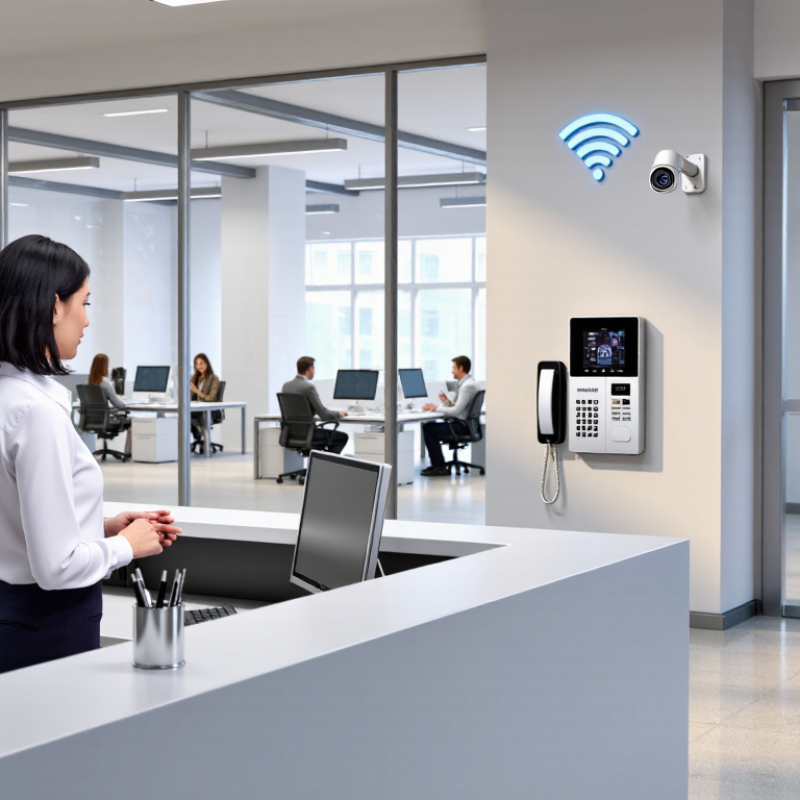
Choosing a business WiFi interphone should begin with operational risk, not a feature checklist. NIST CSF 2.0 offers a practical lens through six functions: Govern, Identify, Protect, Detect, Respond, and Recover. Start by defining users. Reception staff, warehouse teams, security personnel, and visitors need different calling permissions. Then map zones, such as loading bays, offices, outdoor gates, and production areas. A simple floor plan exposes dead areas before installation. Keep it measurable.
Under Govern, document who approves devices, firmware updates, recordings, and access changes. Identify the expected call load by counting peak requests, simultaneous calls, and announcements during a busy shift. Protect the system with strong authentication, segmented wireless networks, encrypted traffic, and role-based controls. Test roaming between access points with a live handset, not just a laptop. Small details matter. A metal door can weaken coverage.
Detect means monitoring dropped calls, unusual login attempts, battery failures, and repeated connection loss. Respond with a clear escalation path: who answers, who dispatches help, and who records the incident. Recover by keeping spare units, updated configuration backups, and a manual fallback method. Teams often overestimate average usage and underestimate shift changes. I have seen a quiet trial hide congestion at lunch. A second test during shift change may reveal more than a polished demonstration.

Choosing a WiFi interphone for business starts with the network, not the handset. Wi-Fi 6 supports up to 9.6 Gbps in total theoretical throughput, according to the Wi-Fi Alliance. This figure is shared across connected devices, not promised to one interphone. Real performance depends on access point placement, channel congestion, building materials, and internet equipment.
Walk through the workplace before purchasing. In a warehouse, metal shelves can weaken signals and create dead zones. In an office, glass walls and crowded meeting rooms may cause unstable connections.
Test the signal where staff will actually speak: loading bays, reception desks, stairwells, and outdoor entrances. A speed test can mislead. Check latency, packet loss, and call stability during busy hours.
The interphone should support modern WiFi security and efficient operation with many connected devices. Give voice traffic enough network priority, and separate it from guest access when possible. Keep firmware updated through a controlled process.
A small pilot is worthwhile. Use several units for a week, record missed calls, and ask users about delay and clarity.
My practical concern is often overlooked: a fast network can still feel poor when coverage is uneven. A stronger access point may help, but placement matters more than raw power. Recheck the design after adding cameras, scanners, or other wireless equipment.
When choosing a WiFi interphone for business, voice delay deserves careful attention. Clear audio is not enough if replies arrive too late. ITU-T G.114 recommends keeping one-way delay around 150 milliseconds for natural conversations. At this level, workers can respond without interrupting each other. Longer delays may create awkward pauses, repeated messages, and mistakes during urgent coordination. The target is useful, but it is not magic.
Measure delay from the speaker’s microphone to the listener’s ear. Test several locations, including loading areas, stairwells, and rooms behind concrete walls. In a warehouse, walk between access points while speaking continuously. Watch for delayed audio during roaming. Also check jitter, packet loss, and network congestion during busy hours. A quiet morning test can be misleading. I have seen systems perform well in an empty building, then struggle when many devices connected. That weakness should be recorded, not ignored.
Tips: Ask vendors for measured latency under realistic traffic. Use short voice commands during testing. Check whether users can hear names and numbers clearly. Confirm that the network prioritizes voice traffic. Repeat tests after moving access points. If delay changes sharply, investigate coverage before buying more devices. Small delays are easy to dismiss, until a team depends on them.
| Selection Dimension | Practical Target | What to Check | Why It Matters |
|---|---|---|---|
| One-way voice delay | Target no more than 150 ms mouth-to-ear | Measure the complete path, including interphone processing, WiFi, network routing, and any server or gateway. | ITU-T G.114 identifies 150 ms as the recommended upper limit for one-way transmission time for most general voice applications. Delays above this can make conversation less natural. |
| Packet loss | Keep loss below 1% during normal operation | Test during busy periods and in locations with weak or congested WiFi coverage. | Lost voice packets can cause gaps or distorted speech. The target is a practical deployment goal, not a universal WiFi standard. |
| Jitter | Aim for less than 30 ms | Check jitter under load and confirm the device or call system has an appropriately configured jitter buffer. | Variable packet arrival times can interrupt smooth playback. A jitter buffer can help, but may add delay. |
| WiFi signal at each station | Use at least −67 dBm as a planning target for voice coverage | Survey the actual mounting location, including corridors, doors, walls, and areas used during the workday. | Signal strength is only one indicator of coverage; interference, channel utilization, and roaming behavior also affect call quality. The target is a common design guideline, not a guarantee. |
| Voice quality | Target a Mean Opinion Score (MOS) of 4.0 or higher where measurement is available | Use a consistent, documented voice-quality test method and compare results across representative locations. | MOS is a rating scale used to describe perceived voice quality; results depend on the measurement method and test conditions. |
| Voice traffic priority | Enable suitable WiFi multimedia (WMM) quality-of-service settings | Verify that access points and network equipment preserve voice prioritization end to end. | WMM provides WiFi traffic categories that can prioritize time-sensitive traffic. Correct configuration matters; priority settings do not replace adequate capacity and coverage. |
| Network capacity | Provide capacity for simultaneous calls plus normal business traffic | Test concurrent calls while typical applications, file transfers, and other network activity are running. | Congestion can increase delay, jitter, and packet loss. Required capacity depends on the codec, packetization interval, protocol overhead, and number of active calls. |
| Security | Use WPA2-AES or WPA3 where supported by the business network and devices | Confirm that encryption is enabled, credentials are managed, and interphone traffic is separated or controlled according to company policy. | WiFi security protects network access and helps safeguard communications. Compatibility and configuration should be checked across all equipment. |
| Roaming between access points | Maintain uninterrupted or promptly recovered calls throughout required movement areas | Walk-test active calls along the routes staff actually use and observe handoffs between access points. | Roaming performance depends on client behavior, access-point configuration, coverage overlap, and the network design; feature support alone does not guarantee seamless handoff. |
| Verification before deployment | Record delay, packet loss, jitter, and call results at representative locations | Test at busy times, with expected concurrent users, and after any major network change. | A site survey and repeatable acceptance test help reveal local coverage or congestion problems before they affect daily operations. |
Reference: ITU-T Recommendation G.114, “One-way transmission time.” The 150 ms figure is a voice-planning recommendation; site-specific results depend on the complete network path and operating conditions.
When choosing the best WiFi interphone for your business, security must be validated, not assumed. An interphone can carry voice traffic across shared office networks. A weak wireless setup may expose conversations, credentials, or device controls. Align the design with NIST WLAN guidance before comparing sound quality or range.
Start with WPA3-Enterprise and 802.1X authentication. These controls require each interphone to prove its identity before joining the network. Connect 802.1X to a controlled authentication service, such as a RADIUS server, and use certificates where practical. Do not accept one shared password for every device. Test it. A certificate renewal failure can silence an entire reception desk.
Use separate network segments for interphones, staff computers, and visitors. Restrict traffic with firewall rules, then review connection logs for unusual devices or repeated failures. During a pilot, place one unit near a busy entrance and another behind two concrete walls. Check call clarity, roaming behavior, and reconnection after an access point restart. Firmware updates should be verified, documented, and scheduled without disrupting emergency communication procedures.
One practical weakness often appears after installation: teams secure the network but forget account removal. When an employee leaves, disable related credentials immediately. Review the configuration quarterly, even when nothing seems wrong. Perfect security is unrealistic, and that should be acknowledged. A documented recovery plan matters when the wireless controller fails at 8:00 a.m. on a busy Monday.
A 99.9% availability SLA allows only 8 hours and 46 minutes of annual downtime. That margin disappears quickly during warehouse shifts, security checks, or emergency calls. Pilot the WiFi interphone across weak-signal areas, stairwells, loading bays, and noisy production floors. Record call drops, reconnection time, battery loss, and voice clarity. A desk test is not enough.
Total cost includes devices, access points, licenses, installation, training, spare units, and maintenance. It also includes failed calls. Uptime Institute’s 2024 Annual Outage Analysis found that more than half of reported outages cost at least $100,000. A cheaper handset can create expensive operational delays. Measure five-minute call sessions during peak traffic. Test roaming between access points. Check whether calls continue after brief network interruptions. Our first estimate was too optimistic because replacement batteries and technician time were missing.
Choose equipment with centralized monitoring, strong authentication, firmware support, and clear service-level reporting. NIST SP 800-153 recommends treating wireless security as a continuous lifecycle, not a one-time setup. Ask suppliers for documented availability calculations, repair targets, and failure data. Do not accept “enterprise-grade” as evidence. Keep a pilot log with timestamps and locations. A 99.9% promise without local measurements is only a promise.


For those larger-sized parts, or smaller quantity runs, we have 2 independent powder coat booths and ovens. The quality, durability and affordability of today’s powder coating finishes make this the process of choice for world-class companies.
Powder coating advantages over other forms of coating are many. Materials used in the Powder coating process can be metals and non-metals that come in a multitude of thicknesses, textures, colors, etc. Another of Powder coating’s biggest advantages over conventional coatings is its ability to create finishes in many different textures. Powder Coating Booths allow us the ability to apply these advantages to large products.
Tri-State Fabricators runs a full-service conveyor line for painting. Wet painting can provide protection or decoration to many different part styles. From start to finish, every project is easier to undergo random and point-based inspection by our skilled painting team.
Advantages to our Wet Paint Line are these lines start with product prep and ends with a thorough inspection of a high quality finished product. Our ability to complete large and small projects with a superior finish and doing so in a timely and economical fashion. This passes along the savings in production to our customers. When powder coating ins not an option, our Wet Paint Line gets the job done right the first time.
When the parts get big and heavy we roll-out our custom paint racks and oversize booth. By utilizing our partnerships with all the major paint brands, we can match virtually any color with wet paint.
The advantages of having access to a Wet Paint Booth are many. Large projects of many different shapes can be loaded into the booth. The Wet Paint Booth offers an environment that is much more controlled than a typical parts painting operation.
Not only are they used because of their controlled environment, but they’re are also advantageous when it comes to applying paint to parts that are needed in industries that require specialty coatings such as medical, aerospace, etc.
Our military forces have some very high standards when it comes to the finish of their vehicles and equipment. From the first pre-treatment step to final coat, it takes a great deal of knowledge and experience to protect the men and women of our armed forces. They deserve only the best, and Tri-State Fabricators provides it.
All of our processes are closely monitored by our staff and management teams. Both of which are highly trained in the processes of metal fabrication and finishing. Tri-State Fabricators’ goal is to always fully satisfy each and every customer, including the military. We will always put a 110% into what we do.
Abrasive media blasting is an excellent way to remove old paint, rust, and increase the paint/powder adhesion. Glass beads produce a much smoother and brighter finish than angular abrasives; leaving the part clean yet without any dimensional change. Chemically inert and environmentally friendly, we can recycle our beads approximately 30 times; making them a more preferred method of metal cleaning or surface finishing.
Advantages to Glass Bead Blasting are many. Glass bead blast media is used when a project is needing rough surfaces need to become smooth for applications of coatings such as paint. It is typically used to clean paint and rust from a product surface without deforming the surface it is being used on. Overall, compared to many other blasting media, Glass Bead Blasting is a very economical choice and those savings are always passed on to our customers.
Tri-State Fabricators utilize a zinc phosphate wash to clean and etch the material to ensure the best paint adhesion possible. The unique design of our 3-stage wash system does the work like a 5-stage. From Cleaning and rinsing to conversion coating and post-treatment, Our Part Washing process is a complete service and works throughout the fabrication service and the finishing service.
Along with the previously mentioned benefits, Curing is a vital chemical reaction that leaves the product finish hard and relatively safe from mild abrasion and aggressive corrosion. This process can be done in more than one way; ambient air-dry or in curing ovens at temps that exceed 240°.
From fixing paint mistakes (someone else’s of course) to simply cleaning our paint line hooks, our burn-off oven is put to good use. After a quick burn-off, a little clean up, and a fresh coat of paint, your parts will look better than new.
Why does our Burn-Off Oven work so well? Because super heating the air around parts turns the materials into ashes. From paint and powder coatings to rubber and machining oils, high temps do the job without degrading the integrity of the part.
Masking is a vital part of producing high quality products. We have die-cut masking patterns to protect machined surfaces as well as a wide range of plugs and caps to protect threaded holes and bolts. We provide permanent and temporary masking.
Masking allows the selected sections of a product to be protected from a fabrication or finishing service. This can be with both chemicals when etching and tapes, paints when only finishing just a section of the product. Masking is great in aiding the customization process of a project.
Screen printing is a photographic process that transfers artwork onto a porous nylon screen which allows colored ink to flow through the screen and be deposited on an aluminum or plastic component. We can generally have just about any design created onto a screen for your parts.
Some of the advantages of Screen Printing are, brand recognition for your business displaying on your products, assembly instructions, product warnings/hazards, etc. Tri-State Fabricators produces Screen Printing of the highest quality so you know it’s durable.
Metal Finishing is the art of treating the exterior portion of product, often metal but can also be made of other materials, so that the surface is clean and free of any debris. Then the process of applying coats or either paint of powder coat takes place. This coating process improves the quality of the product in both appearance and resistance to wear and corrosion.
Tri-State Fabricators, Inc., understands that a project typically isn’t complete until a high-quality finish has been added to your product. This is why our painting and powder coating teams continuously inspect the products throughout the Metal Finishing process.