
A Network Kvm Switch can put several computers within reach from one desk, even when the machines sit in a locked rack or another room. For IT teams, that means fewer trips to the server closet and direct access to local screens, keyboards, and mice. For home labs, it can turn a crowded workbench into a tidier setup. Small details matter: Is switching responsive? Can you manage systems remotely? Does the unit support the video resolution and USB devices you actually use?
Remote access is useful. So is reliability. Security matters, too. Security technologist Bruce Schneier’s well-known reminder is, “Security is a process, not a product.” It is not specific to KVM hardware, but it offers a useful lens for evaluating network-connected devices: review access controls, update practices, and how each model fits your existing network. A feature list alone cannot answer those questions.
This guide compares seven Network Kvm Switches for 2026, from compact options for small offices to rack-ready units for larger deployments. We look at port count, video support, remote-management tools, setup demands, and practical usability. A higher price does not always mean a better fit. Nor does a long feature list. Some models may suit a controlled server room but feel awkward on a busy support desk. The comparisons aim to make those trade-offs visible, while recognizing that no single switch is right for every workspace.
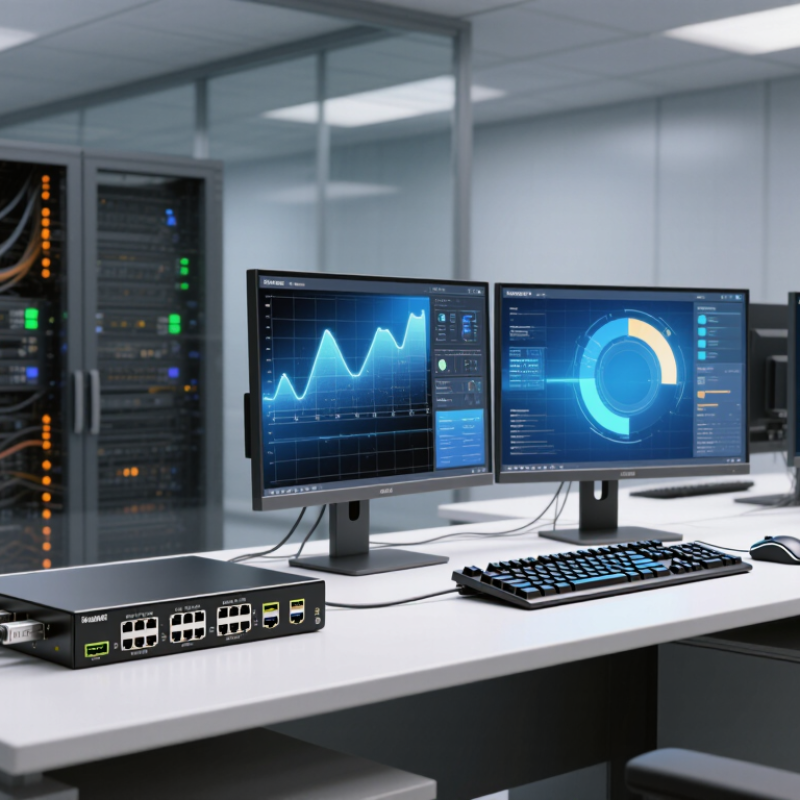
A network KVM switch lets an administrator control a computer through an IP network. KVM means keyboard, video, and mouse. The switch connects to a server’s video output and USB ports, then streams its screen to an authorized remote operator. The operator can send keystrokes and mouse actions back.
Unlike standard remote-desktop software, hardware-based KVM access can work before the operating system loads, which helps with BIOS settings, frozen systems, and reboot recovery. One caveat: the network path becomes another dependency.
Uptime Institute’s 2024 Annual Outage Analysis reported that 54% of respondents’ most recent significant data-center outages cost more than $100,000. That figure does not mean a KVM switch prevents outages. It does show why fast access to an unresponsive server can matter.
A clear video feed and responsive controls help, but bandwidth, network security, and correct cabling affect the experience. A mislabeled video lead can still waste precious minutes.
Tip: Place KVM traffic on a restricted management network. Require multi-factor authentication, encrypt connections, and test access during a planned maintenance window. Keep a local recovery option, too. Network access is useful, but it is not magic.

When comparing network KVM switches, look beyond port count. Check supported video resolutions, refresh rates, USB device compatibility, and whether remote users can access BIOS screens before the operating system loads. Virtual media support can save a trip to the server room, especially when a system needs recovery from an ISO image. Specs can mislead. I would test video responsiveness during busy network periods, because advertised bandwidth does not reveal real-world latency.
Security controls deserve equal attention. Compare multifactor authentication, role-based permissions, encrypted sessions, detailed access logs, and integration with centralized identity systems. Verizon’s 2024 Data Breach Investigations Report found a human element in 68% of breaches, making traceable, limited access a practical safeguard. Look for separate management-network support and clear controls for concurrent sessions. Test the awkward bits: expired credentials, interrupted connections, and handoffs between operators.
Reliability features matter when remote access is needed most. Review redundant power options, failover behavior, firmware update procedures, and recovery steps after a network outage. Uptime Institute’s 2024 outage analysis reported that 54% of surveyed organizations said their most recent significant outage cost more than $100,000. That figure is not specific to KVM equipment, but it shows why recovery access should be dependable. Ask for measured switching delays and test with your actual displays, keyboards, and network conditions.
Standard Ethernet link rates to consider when comparing network KVM switches (Mbps converted to Gbps).
These are standardized nominal Ethernet link rates, not measured KVM performance. Actual usable throughput can be lower, and the required speed depends on video resolution, frame rate, compression, and network conditions.
Choose a network KVM switch around the work it must support, not just its port count. Check whether it offers BIOS-level control, simultaneous user access, and reliable remote recovery when an operating system stops responding. Match video resolution and refresh rates to the connected equipment, then test performance over your real network. A crisp picture in the office can become sluggish across a busy VPN. That matters.
Security needs equal weight. Look for encrypted connections, multi-factor authentication, role-based permissions, and searchable access logs.
Verizon’s 2024 Data Breach Investigations Report found that the human element was involved in 68% of breaches.
Uptime Institute’s 2024 Annual Outage Analysis reported that 54% of respondents said their most recent significant outage cost more than $100,000.
That finding makes individual accounts and auditable sessions practical safeguards, not decorative features. Remote recovery may help limit disruption, but a KVM switch cannot replace network redundancy or a tested recovery plan.
Tips
Before buying, list the servers, connection types, and users that need access. Test keyboard response, video clarity, and session handoffs during peak network use. Ask how firmware updates and account recovery work. One detail is easy to underestimate: a feature-rich unit can still be the wrong fit if its management interface confuses the people on call. Run a small pilot.
The right network KVM switch depends on where and how you manage computers. A browser-based IP model suits occasional remote maintenance, while a rack-mounted unit can serve a server room with several machines. For small offices, a compact switch keeps a few desktops on one keyboard and monitor. A multi-user model supports shared access, but check how it handles simultaneous sessions. Some units prioritize BIOS-level remote control for troubleshooting systems that will not boot. Others add serial-console access for network equipment. A USB-focused model may fit workstations that need reliable peripheral switching. These are different tools, not interchangeable upgrades.
Compare supported video resolutions, connection types, port counts, and remote-access controls before buying. Check whether remote sessions require extra software, and confirm the device fits your rack or desk. Documentation matters. Vague compatibility claims are a warning sign. I would also leave room for a less exciting reality: older computers and unusual peripherals can behave inconsistently, even when specifications look suitable.
Tips: Test one target computer before deployment. Use a separate management network where practical, enable strong authentication, and keep firmware current. Label cables; it saves time later.
For a network KVM switch, setup begins with the management path, not the monitor. Place it on a restricted management network, separate from everyday user traffic. Require individual accounts and multifactor authentication where supported. Use encrypted connections, disable unused services, and record who can reach each server. Verizon’s 2024 Data Breach Investigations Report found a human element in 68% of breaches. That figure is not specific to KVM systems, but it underscores why shared logins and forgotten access rules deserve attention. Small details matter.
Before deployment, test access during a real maintenance window. Confirm that the console remains usable if the network link fails, and document a safe recovery route. Keep the device’s firmware current, but review release notes and test updates before applying them across critical systems. Store configuration backups securely and verify that they can be restored. A backup file nobody has tested is mostly an optimistic assumption.
Maintenance should include checking account lists, session logs, ports, cables, and power supplies on a fixed schedule. Uptime Institute’s 2024 outage analysis reported that 54% of respondents said their most recent significant outage cost more than $100,000. This does not show that KVM switches caused those outages. It does show why console access, recovery procedures, and routine checks belong in operational planning. Even a tidy rack can hide a loose cable.


For those larger-sized parts, or smaller quantity runs, we have 2 independent powder coat booths and ovens. The quality, durability and affordability of today’s powder coating finishes make this the process of choice for world-class companies.
Powder coating advantages over other forms of coating are many. Materials used in the Powder coating process can be metals and non-metals that come in a multitude of thicknesses, textures, colors, etc. Another of Powder coating’s biggest advantages over conventional coatings is its ability to create finishes in many different textures. Powder Coating Booths allow us the ability to apply these advantages to large products.
Tri-State Fabricators runs a full-service conveyor line for painting. Wet painting can provide protection or decoration to many different part styles. From start to finish, every project is easier to undergo random and point-based inspection by our skilled painting team.
Advantages to our Wet Paint Line are these lines start with product prep and ends with a thorough inspection of a high quality finished product. Our ability to complete large and small projects with a superior finish and doing so in a timely and economical fashion. This passes along the savings in production to our customers. When powder coating ins not an option, our Wet Paint Line gets the job done right the first time.
When the parts get big and heavy we roll-out our custom paint racks and oversize booth. By utilizing our partnerships with all the major paint brands, we can match virtually any color with wet paint.
The advantages of having access to a Wet Paint Booth are many. Large projects of many different shapes can be loaded into the booth. The Wet Paint Booth offers an environment that is much more controlled than a typical parts painting operation.
Not only are they used because of their controlled environment, but they’re are also advantageous when it comes to applying paint to parts that are needed in industries that require specialty coatings such as medical, aerospace, etc.
Our military forces have some very high standards when it comes to the finish of their vehicles and equipment. From the first pre-treatment step to final coat, it takes a great deal of knowledge and experience to protect the men and women of our armed forces. They deserve only the best, and Tri-State Fabricators provides it.
All of our processes are closely monitored by our staff and management teams. Both of which are highly trained in the processes of metal fabrication and finishing. Tri-State Fabricators’ goal is to always fully satisfy each and every customer, including the military. We will always put a 110% into what we do.
Abrasive media blasting is an excellent way to remove old paint, rust, and increase the paint/powder adhesion. Glass beads produce a much smoother and brighter finish than angular abrasives; leaving the part clean yet without any dimensional change. Chemically inert and environmentally friendly, we can recycle our beads approximately 30 times; making them a more preferred method of metal cleaning or surface finishing.
Advantages to Glass Bead Blasting are many. Glass bead blast media is used when a project is needing rough surfaces need to become smooth for applications of coatings such as paint. It is typically used to clean paint and rust from a product surface without deforming the surface it is being used on. Overall, compared to many other blasting media, Glass Bead Blasting is a very economical choice and those savings are always passed on to our customers.
Tri-State Fabricators utilize a zinc phosphate wash to clean and etch the material to ensure the best paint adhesion possible. The unique design of our 3-stage wash system does the work like a 5-stage. From Cleaning and rinsing to conversion coating and post-treatment, Our Part Washing process is a complete service and works throughout the fabrication service and the finishing service.
Along with the previously mentioned benefits, Curing is a vital chemical reaction that leaves the product finish hard and relatively safe from mild abrasion and aggressive corrosion. This process can be done in more than one way; ambient air-dry or in curing ovens at temps that exceed 240°.
From fixing paint mistakes (someone else’s of course) to simply cleaning our paint line hooks, our burn-off oven is put to good use. After a quick burn-off, a little clean up, and a fresh coat of paint, your parts will look better than new.
Why does our Burn-Off Oven work so well? Because super heating the air around parts turns the materials into ashes. From paint and powder coatings to rubber and machining oils, high temps do the job without degrading the integrity of the part.
Masking is a vital part of producing high quality products. We have die-cut masking patterns to protect machined surfaces as well as a wide range of plugs and caps to protect threaded holes and bolts. We provide permanent and temporary masking.
Masking allows the selected sections of a product to be protected from a fabrication or finishing service. This can be with both chemicals when etching and tapes, paints when only finishing just a section of the product. Masking is great in aiding the customization process of a project.
Screen printing is a photographic process that transfers artwork onto a porous nylon screen which allows colored ink to flow through the screen and be deposited on an aluminum or plastic component. We can generally have just about any design created onto a screen for your parts.
Some of the advantages of Screen Printing are, brand recognition for your business displaying on your products, assembly instructions, product warnings/hazards, etc. Tri-State Fabricators produces Screen Printing of the highest quality so you know it’s durable.
Metal Finishing is the art of treating the exterior portion of product, often metal but can also be made of other materials, so that the surface is clean and free of any debris. Then the process of applying coats or either paint of powder coat takes place. This coating process improves the quality of the product in both appearance and resistance to wear and corrosion.
Tri-State Fabricators, Inc., understands that a project typically isn’t complete until a high-quality finish has been added to your product. This is why our painting and powder coating teams continuously inspect the products throughout the Metal Finishing process.