7 Best Managed Network Switches for Business Buyers?
Choosing a business switch is less about chasing the highest port count and more about matching features to daily workloads. A Managed Network Switch can separate staff, guest, and device traffic with VLANs, while quality-of-service settings help prioritize voice or video calls. The right choice also depends on PoE needs, uplink speed, management tools, and room for future growth. Small details matter.
This guide compares seven options for different business environments, from a small office with a few access points to a growing team with multiple network closets. It considers practical factors such as setup complexity, monitoring, security controls, warranty coverage, and the availability of firmware updates. A quiet fan may matter in a shared office; rack depth may matter in a crowded cabinet. Not always obvious.
No single model suits every buyer. A switch with advanced controls may add cost and configuration work that a smaller team does not need. On the other hand, choosing only by price can leave too few PoE ports or limited visibility when problems arise. That trade-off deserves attention. Product specifications and support terms can change, so verify current details before purchasing. The comparisons aim to clarify where each option fits, while recognizing that real network needs vary by building, staff, and connected devices.
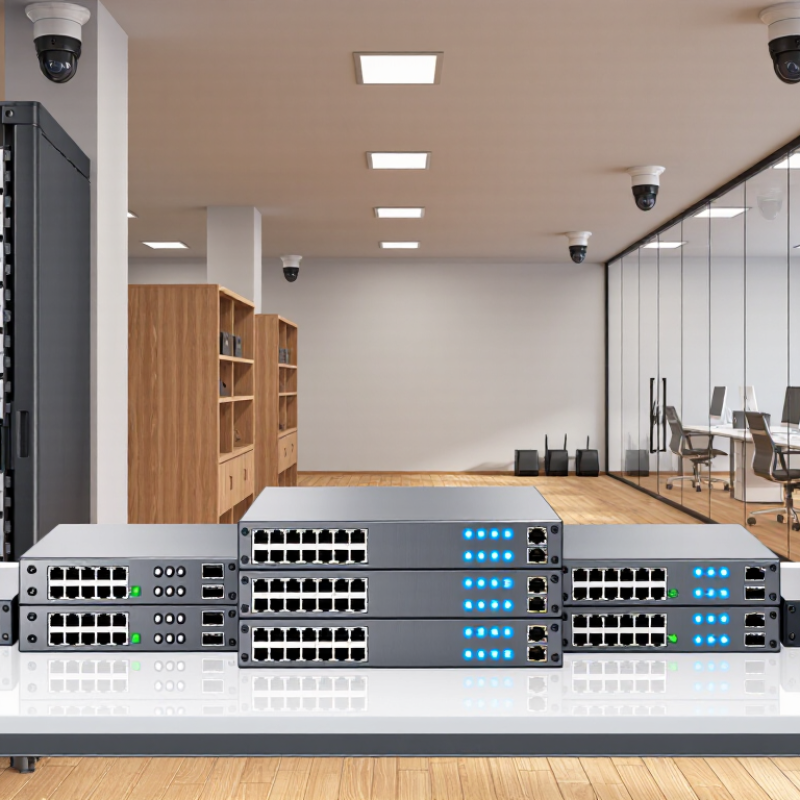
How Managed Network Switches Fit into Business Networks
A managed switch is the traffic-control point between office devices and the wider network. It connects computers, wireless access points, phones, cameras, and servers, while letting administrators configure ports and monitor traffic. VLANs can separate guest Wi-Fi from finance systems; quality-of-service settings can prioritize voice calls during busy periods. Small changes matter. A mislabeled port can still cause a frustrating outage.
The Verizon 2024 Data Breach Investigations Report found that 68% of breaches involved a non-malicious human element, such as mistakes or social engineering. A managed switch cannot prevent every breach, but access controls and network segmentation can limit unnecessary connections. Uptime Institute’s 2024 outage analysis reported that 54% of respondents’ most recent significant outages cost more than $100,000. That puts configuration backups, alerting, and tested recovery plans in practical business terms.
For a buyer, the right switch depends on port count, PoE demand, uplink capacity, and support for monitoring protocols. A 24-port model may suit a small office, but cameras and access points can quickly consume its power budget. Redundant links help only when the network is designed to use them. I would not assume “managed” means easy; clear documentation and a tested configuration matter just as much.
Features That Matter When Comparing Managed Switches
A managed switch earns its place through control, not a long feature list. Start with port count, speed, and power needs. A small office with desk phones and wireless access points may need Power over Ethernet, while a file-heavy team may benefit more from faster uplinks. Leave room for growth; replacing a nearly full switch is disruptive. Ports matter.
When comparing models, check VLAN support, quality of service, and access controls. VLANs can separate guest Wi-Fi from staff devices. Quality of service helps prioritize voice and video traffic when the network is busy. Look for clear monitoring tools, too: useful alerts should identify a failing port or rising error rate, not bury staff in charts. Simple beats flashy.
Reliability deserves a close look. Redundant power options, fan design, and documented firmware support can affect daily operations, especially in a warm wiring closet. Confirm that the switch fits your rack, cabling, and management workflow. A dense specification sheet can still hide awkward setup steps. Test the interface if possible. I’ve seen teams overvalue headline speeds and overlook routine tasks, such as finding a disconnected access point. Compare the work it makes easier, not just the numbers on its box.
How to Match Switch Capacity to Business Requirements
Choosing a managed switch starts with a device count, not a port-count guess. List computers, printers, access points, cameras, and phones at each location. Count ports carefully. A busy office with 18 wired devices may need more than a 24-port switch once uplinks and near-term growth are considered. If expansion is likely, leave about 20 percent of ports unused.
Power is different. For devices powered over Ethernet, check both the switch’s total power budget and each port’s limit. Four access points and several cameras can exhaust a budget before every port is occupied. Compare their stated power needs with the switch’s available output, allowing some margin. A missed detail here can mean extra hardware later.
Then match uplink speed and switching capacity to actual traffic. Several high-resolution video streams or large file transfers can create heavier demand than routine email and web use. Check whether the switch supports the needed VLANs, traffic monitoring, and remote management features. Test the layout. A simple floor plan and device spreadsheet often reveal awkward cable runs or an overloaded closet. Still, estimates are imperfect; confirm peak usage where possible before buying.
Managed Switch Capacity: Match Port Count to Business Needs
Illustrative, brand-neutral comparison of common 1GbE switch sizes.
How to read it: Capacity is calculated as port count × 1 Gbps × 2 for full-duplex traffic, assuming every port can run at line rate simultaneously. Choose a port count that covers current devices plus planned growth; check the product specifications for uplink capacity and whether switching is nonblocking.
Seven Managed Network Switches for Business Buyers
Business buyers need a managed switch that fits their wiring, power, and growth plans. The seven choices below are practical switch profiles, not a universal ranking. A compact eight-port PoE model suits a small office with a few access points and phones. A quiet 16-port fanless switch works well at a reception desk or in a meeting room. A 24-port model with VLAN and traffic-monitoring controls gives a growing team room to separate guest and staff devices.
For cameras and wireless access points, consider a 24-port PoE+ switch with enough total power for every connected device. Check the power budget, not just the port count. A 48-port managed switch fits a busy office with many wired workstations, but it may need a ventilated rack. A multigigabit model can help newer access points avoid a slower uplink. It costs more, though.
A switch with fiber uplinks can connect separate floors or buildings over longer cable runs. A model with redundant power supplies may suit operations where downtime is especially costly. Look for clear configuration tools, firmware support, and useful logs; these matter after installation, too. Match the switch to measured needs, since spare capacity is helpful but easy to overbuy. I’d still check cable quality and actual device power before choosing—the specification sheet won’t reveal every awkward corner of an existing network.
Deployment and Management Considerations for Business Switches
A business switch should fit the way people work, not just the number of ports on a spreadsheet. Map desk locations, access points, cameras, and uplinks before choosing capacity. Leave spare ports and power headroom for growth; replacing a full switch early is disruptive. Check that the management interface supports role-based access, encrypted administration, configuration backups, and clear event logs. The 2024 Cost of a Data Breach Report estimated the global average breach cost at $4.88 million. That is not a switch budget, but it underlines why secure administration deserves attention.
Deployment details matter. Label both ends of every cable, document port assignments, and test a representative configuration before rollout. A mislabeled uplink can turn a brief upgrade into a floor-wide outage. Small gaps matter. The 2024 Data Breach Investigations Report found that 68% of breaches involved a human element, making controlled access and practical staff procedures relevant to network operations. For ongoing management, confirm whether monitoring is local or cloud-based, what alerts can be routed to staff, and how firmware updates are tested and scheduled. Test failover. This is easy to underestimate: a backup link that has never been tested is only an assumption. Keep a rollback plan and a dated configuration copy for each change.