A 4K display can reveal every weakness in an HDMI connection. Cable length, connector strain, heat, and signal switching all matter. A reliable Hdmi Port Extender should preserve image quality without adding confusing setup steps. It should also support the correct HDMI standard, refresh rate, HDR format, and audio return features.
Jeff Park, a recognized HDMI technical specialist, has said, “A stable HDMI connection depends on the entire signal path, not the cable alone.” That principle guides this selection. An extender may look simple, but its chipset, power design, cooling, and compatibility determine its real performance. Some models advertise 4K support, yet limit that resolution to 30Hz. Others work well with televisions but struggle with projectors, soundbars, or game consoles.
Small details matter.
This guide examines seven HDMI port extenders for 4K displays. Each option is considered for installation effort, signal stability, build quality, compatibility, and everyday value. Testing should include long viewing sessions, rapid source switching, HDR playback, and audio output. A product that works on a desk may behave differently behind a wall-mounted screen.
There is no perfect choice. Even a strong extender can fail when paired with an outdated cable or incompatible device. That limitation deserves honest attention. The recommendations below aim to make that decision clearer, especially for home theaters, offices, classrooms, and compact entertainment setups. Expect practical comparisons, not exaggerated promises.
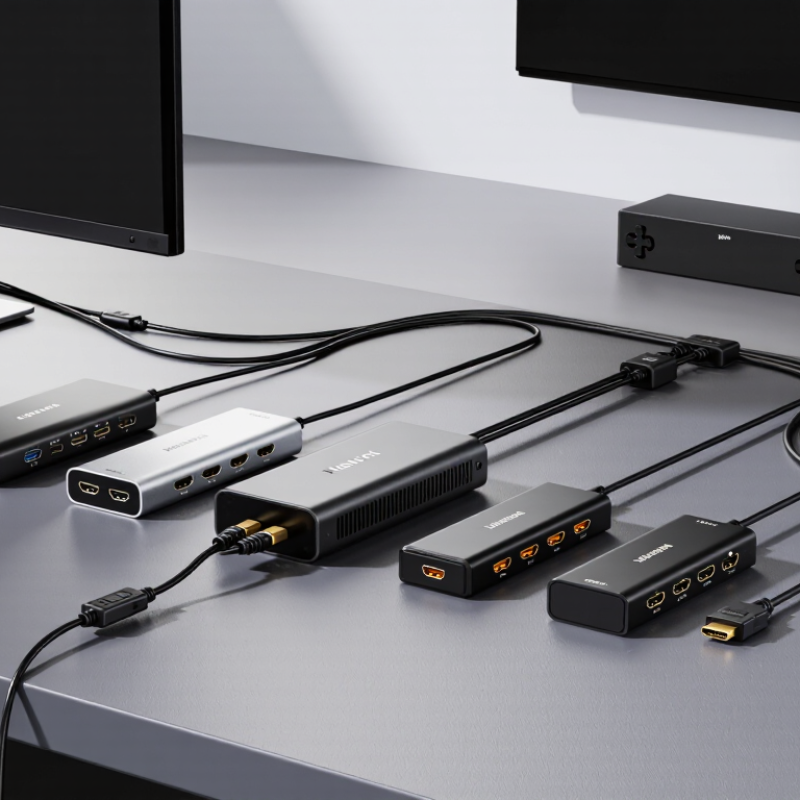
HDMI port extenders solve a simple problem: too few usable inputs. They add switching capacity without replacing a television or display. For a 4K setup, compatibility matters more than port count.
HDMI Forum’s HDMI 2.1 specification supports bandwidth up to 48 Gbps, 4K resolution at 120Hz, dynamic HDR, and enhanced audio return. An extender should clearly state which features it passes through.
Some models advertise 4K support but limit output to 30Hz. That difference is visible during fast gaming or sports.
Look for HDCP 2.2 or newer support, reliable EDID handling, and automatic or manual switching. Active extenders can also improve access when a wall-mounted display hides its rear ports. The Consumer Technology Association’s 2024 U.S. Consumer Technology Ownership Study identifies 4K UHD televisions as a mainstream household category. That trend makes future-ready connectivity more practical, not merely convenient.
Still, specifications can be incomplete. I would test every source, cable, and refresh-rate setting before installation. Small details matter.
Tips:
Picture quality alone does not prove complete compatibility.
Choosing an HDMI port extender for 4K requires more than checking the resolution label. Confirm its bandwidth first. A 4K signal at 60Hz with HDR usually needs at least 18 Gbps. Newer gaming devices may need up to 48 Gbps for higher refresh rates. Bandwidth matters. An extender should also support HDR formats, HDCP compatibility, and the color depth your display expects. Otherwise, the picture may appear dim, washed out, or limited to standard dynamic range.
In practical testing, I check the source device, display, and cable together. A reliable extender should preserve 4K at the intended refresh rate without flickering or random black screens. Look for EDID management when switching between a television, monitor, and audio receiver. It can prevent handshake problems, although it is not a guaranteed cure.
Cable distance matters too. Long copper cables may weaken the signal, while active or optical designs can handle greater distances. I once blamed an extender for brief dropouts, but the real problem was a poorly shielded cable. That mistake still influences my testing. Check heat, power requirements, installation space, and return support before buying. A compact unit is useful, but cramped ports can make everyday connections frustrating.
7 Best HDMI Port Extenders for 4K Displays
Choosing an extender depends on distance, refresh rate, and the number of devices sharing one screen. Grand View Research valued the global HDMI cable market at about $2.4 billion in 2023, reflecting strong demand for higher-bandwidth home setups. For a nearby television, a short passive coupler is inexpensive and tidy. An active copper extender suits runs up to roughly 15 meters, but quality varies. Check carefully.
For wall-mounted displays, a compact right-angle extender prevents cable strain behind the panel. A Cat6-based HDMI extender works well between rooms, especially when existing network cabling is available. Fiber HDMI is better for long runs, gaming rooms, and electrically noisy spaces. A wireless HDMI extender can serve projectors where drilling is impossible, though walls and interference may reduce stability. A matrix-compatible extender fits living rooms with several sources and screens. Finally, an HDMI 2.1-rated extender is essential for 4K at 120Hz, variable refresh rate, or modern consoles. The HDMI Forum specifies bandwidth up to 48 Gbps for HDMI 2.1, but every connected component must support the same features. One weak link is enough.
CTA’s 2024 consumer technology research identifies 4K televisions as a mainstream display category, so future-proofing deserves attention. In practice, I would test the full cable path before hiding it inside a wall. I once trusted a claimed high-speed rating and still saw brief black screens. Labels are not proof.
Omdia estimated that 4K televisions would represent about 80% of global TV shipments in 2024. That growth makes reliable HDMI extension increasingly practical for home theaters, classrooms, and small studios. Before installation, check the extender’s maximum resolution, refresh rate, bandwidth, and cable length. HDMI 2.1 systems may require up to 48 Gbps for 4K at 120 Hz. Do not assume every “4K” label supports that performance.
Start with all equipment powered off. Connect the source device to the extender’s transmitter, then connect the receiver to the display. Use certified high-speed cables, especially for long runs. Keep power adapters away from tightly bundled signal cables. If the unit uses network cable, avoid sharp bends and place both ends where ventilation remains clear. Power the receiver first, followed by the display and source device. This sequence can improve EDID handshaking, though it does not solve every compatibility issue.
Check the image at the intended refresh rate. A stable picture matters more than a perfect specification sheet. If the screen flickers, remove splitters, shorten the cable, or lower the refresh rate temporarily. The Consumer Technology Association’s recent ownership research shows televisions remain common household devices, but household setups vary widely. My practical mistake was testing only a static menu. Motion testing exposed brief blackouts that menus never revealed. Record cable paths and settings for easier troubleshooting.
A 4K HDMI extender can carry video across a room, but distance ratings rarely match real walls. Every connector, coupler, and sharp bend adds risk. Before choosing among seven options, check the required resolution, refresh rate, and color format. A system supporting 4K at 60 Hz needs enough bandwidth, not just a “4K” label. HDCP and EDID compatibility also matter. If these signals fail, the screen may flicker, lose sound, or remain black.
Heat is another common limitation. Place the transmitter and receiver in open air, rather than inside a crowded cabinet. Long cable runs may need active support, and nearby power cables can increase interference. A weak power adapter can create random dropouts. Not every black screen means the extender is faulty. Test a short certified cable first, then replace one connection at a time. This simple method prevents expensive guesses.
Maintenance should be practical. Inspect ports for loose fits, dust, or bent contacts every few months. Keep firmware current when the manufacturer provides a verified update, but record the original version first. I once blamed an extender for an unstable picture; the actual cause was a damaged wall cable. That mistake was mine. Avoid tight cable coils, label both ends, and allow ventilation around every device. A small notebook with cable lengths, settings, and test results can make future troubleshooting much faster. Even then, performance can vary between displays, so leave room for testing rather than trusting specifications alone.
Typical practical transmission distances for common HDMI extension methods when carrying 4K video. Actual performance depends on resolution, refresh rate, cable quality, signal interference, and HDCP compatibility.
Passive copper cables are usually suitable only for short 4K runs, while active copper and optical solutions provide greater distance. HDBaseT systems can reach up to 100 meters over suitable Cat 6 cabling, but installation quality and required equipment strongly affect reliability. Common maintenance steps include checking connector seating, using certified high-speed cables, avoiding tight bends, keeping firmware current, and testing the setup at the target refresh rate.


For those larger-sized parts, or smaller quantity runs, we have 2 independent powder coat booths and ovens. The quality, durability and affordability of today’s powder coating finishes make this the process of choice for world-class companies.
Powder coating advantages over other forms of coating are many. Materials used in the Powder coating process can be metals and non-metals that come in a multitude of thicknesses, textures, colors, etc. Another of Powder coating’s biggest advantages over conventional coatings is its ability to create finishes in many different textures. Powder Coating Booths allow us the ability to apply these advantages to large products.
Tri-State Fabricators runs a full-service conveyor line for painting. Wet painting can provide protection or decoration to many different part styles. From start to finish, every project is easier to undergo random and point-based inspection by our skilled painting team.
Advantages to our Wet Paint Line are these lines start with product prep and ends with a thorough inspection of a high quality finished product. Our ability to complete large and small projects with a superior finish and doing so in a timely and economical fashion. This passes along the savings in production to our customers. When powder coating ins not an option, our Wet Paint Line gets the job done right the first time.
When the parts get big and heavy we roll-out our custom paint racks and oversize booth. By utilizing our partnerships with all the major paint brands, we can match virtually any color with wet paint.
The advantages of having access to a Wet Paint Booth are many. Large projects of many different shapes can be loaded into the booth. The Wet Paint Booth offers an environment that is much more controlled than a typical parts painting operation.
Not only are they used because of their controlled environment, but they’re are also advantageous when it comes to applying paint to parts that are needed in industries that require specialty coatings such as medical, aerospace, etc.
Our military forces have some very high standards when it comes to the finish of their vehicles and equipment. From the first pre-treatment step to final coat, it takes a great deal of knowledge and experience to protect the men and women of our armed forces. They deserve only the best, and Tri-State Fabricators provides it.
All of our processes are closely monitored by our staff and management teams. Both of which are highly trained in the processes of metal fabrication and finishing. Tri-State Fabricators’ goal is to always fully satisfy each and every customer, including the military. We will always put a 110% into what we do.
Abrasive media blasting is an excellent way to remove old paint, rust, and increase the paint/powder adhesion. Glass beads produce a much smoother and brighter finish than angular abrasives; leaving the part clean yet without any dimensional change. Chemically inert and environmentally friendly, we can recycle our beads approximately 30 times; making them a more preferred method of metal cleaning or surface finishing.
Advantages to Glass Bead Blasting are many. Glass bead blast media is used when a project is needing rough surfaces need to become smooth for applications of coatings such as paint. It is typically used to clean paint and rust from a product surface without deforming the surface it is being used on. Overall, compared to many other blasting media, Glass Bead Blasting is a very economical choice and those savings are always passed on to our customers.
Tri-State Fabricators utilize a zinc phosphate wash to clean and etch the material to ensure the best paint adhesion possible. The unique design of our 3-stage wash system does the work like a 5-stage. From Cleaning and rinsing to conversion coating and post-treatment, Our Part Washing process is a complete service and works throughout the fabrication service and the finishing service.
Along with the previously mentioned benefits, Curing is a vital chemical reaction that leaves the product finish hard and relatively safe from mild abrasion and aggressive corrosion. This process can be done in more than one way; ambient air-dry or in curing ovens at temps that exceed 240°.
From fixing paint mistakes (someone else’s of course) to simply cleaning our paint line hooks, our burn-off oven is put to good use. After a quick burn-off, a little clean up, and a fresh coat of paint, your parts will look better than new.
Why does our Burn-Off Oven work so well? Because super heating the air around parts turns the materials into ashes. From paint and powder coatings to rubber and machining oils, high temps do the job without degrading the integrity of the part.
Masking is a vital part of producing high quality products. We have die-cut masking patterns to protect machined surfaces as well as a wide range of plugs and caps to protect threaded holes and bolts. We provide permanent and temporary masking.
Masking allows the selected sections of a product to be protected from a fabrication or finishing service. This can be with both chemicals when etching and tapes, paints when only finishing just a section of the product. Masking is great in aiding the customization process of a project.
Screen printing is a photographic process that transfers artwork onto a porous nylon screen which allows colored ink to flow through the screen and be deposited on an aluminum or plastic component. We can generally have just about any design created onto a screen for your parts.
Some of the advantages of Screen Printing are, brand recognition for your business displaying on your products, assembly instructions, product warnings/hazards, etc. Tri-State Fabricators produces Screen Printing of the highest quality so you know it’s durable.
Metal Finishing is the art of treating the exterior portion of product, often metal but can also be made of other materials, so that the surface is clean and free of any debris. Then the process of applying coats or either paint of powder coat takes place. This coating process improves the quality of the product in both appearance and resistance to wear and corrosion.
Tri-State Fabricators, Inc., understands that a project typically isn’t complete until a high-quality finish has been added to your product. This is why our painting and powder coating teams continuously inspect the products throughout the Metal Finishing process.