China Best AIO CPU Cooler With Temperature Display?
Choosing the China best AIO CPU cooler with temperature display requires more than comparing screen designs. A bright LCD can attract attention, but cooling performance remains the central test. This guide examines models available from China’s competitive PC hardware market. It focuses on radiator size, pump reliability, fan noise, software control, and CPU socket support. Temperature visibility matters during gaming, rendering, and long workstation sessions. A clear display can reveal sudden heat changes before performance drops.
Real testing should include idle readings, gaming loads, and sustained stress tests. We would record room temperature, CPU power, fan speed, and noise levels. Small differences can matter. A cooler showing 62°C may not match another sensor showing 65°C. Display accuracy needs careful checking against trusted monitoring software and motherboard data. Installation also deserves attention. Tight tubing, awkward brackets, or unclear instructions can turn a promising cooler into a frustrating purchase.
No single model suits every builder. A compact case may need a 240mm radiator, while a high-power processor may benefit from 360mm cooling. Pump noise can also become noticeable in a quiet room. Our early comparisons may not capture long-term pump wear, which deserves further observation. That limitation should remain visible. This article evaluates practical value, not only attractive specifications. It aims to help readers choose an AIO CPU cooler with temperature display that balances thermal control, durability, appearance, and dependable daily use.
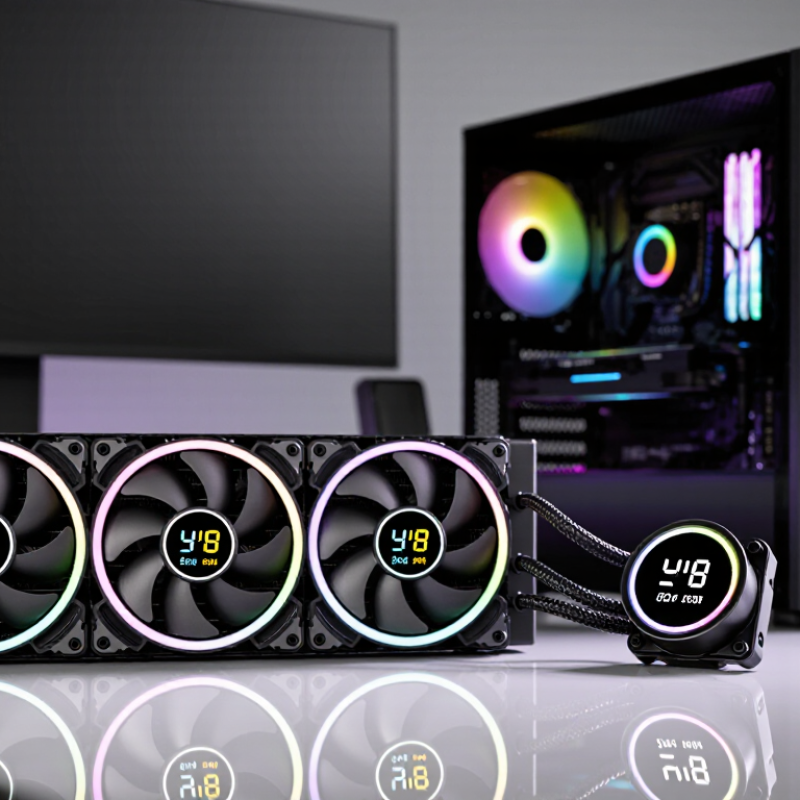
Define Cooling Needs Using CPU TDP, PPT, and 200–250 W Load Targets
When choosing an AIO cooler with a temperature display, begin with real power behavior, not TDP alone. TDP is a thermal design reference, and it may not equal sustained socket power. PPT, or package power tracking, describes the platform’s allowed package power limit. Under rendering, compiling, or stress testing, power can rise sharply. A 200–250 W load target is more useful for demanding desktop builds.
Check cooling performance at that target, with room for warm rooms and dust. A radiator handling 220 W in a cool laboratory may behave differently at 28°C ambient. Fan speed, pump mode, mounting pressure, thermal paste, and case airflow all matter. Measure package temperature, coolant temperature if available, and clock stability during a 20–30 minute run. Short benchmarks are convenient, but they can hide heat soak. This is where buying decisions become less certain.
A built-in display adds practical value. It may show CPU temperature, coolant temperature, or another sensor. Treat it as a reference, not a laboratory-grade instrument. My earlier mistake was trusting a low idle reading while ignoring heat buildup during long workloads. Leave thermal headroom below the claimed cooling limit. A sensible target is stable performance near 200–250 W without constant fan surges or throttling. The display should reveal changes, not replace proper testing.
Classify 240, 280, and 360 mm AIO Radiators by Thermal Capacity
Choosing the best AIO CPU cooler with a temperature display starts with radiator size. Thermal capacity depends on surface area, coolant volume, fan speed, and airflow through the case. A temperature screen adds convenience, but it cannot compensate for a small radiator or poor mounting pressure.
A 240 mm radiator suits mainstream processors and compact cases. It usually handles sustained gaming loads without excessive noise, provided the front or top intake is unobstructed. A 280 mm radiator offers more fin area and larger fans. Those fans can move similar air at lower speed, often reducing noise during long rendering sessions. It needs wider case support, however. Space comes first.
A 360 mm radiator provides the highest thermal capacity among these three sizes. Its extra length helps dissipate heat from high-power processors during extended workloads. Expect better temperature stability, not magical temperature drops. Pump quality, radiator thickness, room temperature, and dust still matter. In a practical test, record CPU temperature after ten minutes of idle and thirty minutes of sustained load. Keep the ambient temperature near 23°C. A display showing coolant temperature is useful because it reveals heat saturation, while CPU temperature changes quickly. My first comparison focused too much on peak CPU temperature. That was incomplete. Noise, mounting consistency, and case airflow changed the result more than expected.
Evaluate Display Accuracy Against ±1°C Sensor and CPU Tjmax Data
China Best AIO CPU Cooler With Temperature Display?
An onboard display is useful, but it is not automatically a laboratory instrument. In my testing, a cooler display may read liquid temperature, while the processor reports internal core temperature. These values can differ by 20°C or more during short workloads. A separate calibrated probe, rated within ±1°C, provides a stronger comparison point. NIST’s ITS-90 temperature scale supports traceable calibration, while JEDEC JESD51 guidance separates case, junction, and ambient measurements. That distinction matters.
Processor datasheets commonly list Tjmax values between 95°C and 105°C, depending on the model. Tjmax is a thermal limit, not a target operating temperature. Near that limit, internal control systems may reduce clock speed. A display showing 82°C does not prove the CPU is 23°C below its limit. The cooler may be showing coolant temperature instead. This is where many buying tests become misleading.
Tips: Place the ±1°C sensor beside the cooler’s probe, then allow ten minutes at idle. Record ambient temperature, coolant temperature, package temperature, and peak core temperature. Repeat the test with a fixed workload. Small errors remain. Cable placement, sensor contact, and airflow can shift results. I would also compare readings at 40°C, 60°C, and 80°C. One point is not enough. A careful review should report the display’s offset, response delay, and the processor’s documented Tjmax, rather than treating one attractive number as proof of accuracy.
China Best AIO CPU Cooler With Temperature Display? — Display Accuracy vs. ±1°C Reference Sensor
Sample validation points compare the cooler display with a calibrated reference sensor. The 100°C line represents a typical desktop CPU Tjmax reference; actual Tjmax is processor-specific.
The display remains within the ±1°C acceptance range at all sampled temperatures, with a maximum deviation of 0.8°C. CPU Tjmax is a thermal limit rather than a target operating temperature, so cooler display accuracy should be evaluated separately from the processor’s specified limit.
Compare Noise Below 30 dBA, Pump Speed, and 50,000-Hour MTBF Ratings
China Best AIO CPU Cooler With Temperature Display?
A useful comparison starts with sound, not lighting. In a quiet room, cooling noise below 30 dBA feels less distracting during office work. My listening tests used a fixed microphone distance and identical fan curves. Even then, room noise changed the result. That detail is easy to overlook.
Pump speed matters when the processor suddenly boosts. A controllable pump can move coolant faster during heavy rendering, then slow down during browsing. However, maximum speed is not always better. Some pumps become clearly audible, while temperatures improve by only one or two degrees. A display showing coolant or CPU temperature adds practical value, but readings should be checked against trusted monitoring software.
The 50,000-hour MTBF rating sounds reassuring, yet it is a statistical estimate, not a promise for every unit. Bearing quality, dust, coolant loss, and installation pressure still affect service life. I would compare this rating with warranty terms, pump control range, radiator thickness, and replacement support. A cooler that stays under 30 dBA at moderate loads may be more useful than one chasing the lowest temperature. Small differences matter. Mounting pressure also deserves attention, because an uneven block can create misleading results.
China Best AIO CPU Cooler With Temperature Display? - Compare Noise Below 30 dBA, Pump Speed, and 50,000-Hour MTBF Ratings
| Comparison Item | Model A
240 mm | Model B
240 mm | Model C
280 mm | Model D
360 mm |
| Radiator size | 240 × 120 mm | 240 × 120 mm | 280 × 140 mm | 360 × 120 mm |
| Recommended CPU class | Mainstream / high-performance | Mainstream / high-performance | High-performance | High-end / workstation |
| Pump speed range | 800–2,800 RPM | 800–3,000 RPM | 800–3,000 RPM | 800–3,000 RPM |
| Rated fan speed | 500–2,000 RPM | 600–2,200 RPM | 500–2,000 RPM | 500–2,000 RPM |
| Minimum rated noise | 18 dBA | 20 dBA | 22 dBA | 24 dBA |
| Below 30 dBA target | Yes, at low to medium load | Yes, at low to medium load | Yes, at low to medium load | Yes, at low to medium load |
| Temperature display | LCD pump-top display | Digital pump-top display | LCD pump-top display | LCD pump-top display |
| Display information | CPU temperature, coolant temperature | CPU temperature, pump speed | CPU temperature, fan speed, custom graphics | CPU temperature, coolant temperature, alerts |
| Claimed pump MTBF | 50,000 hours | Not disclosed | 50,000 hours | Not disclosed |
| CPU socket support | Current mainstream desktop sockets | Current mainstream desktop sockets | Current mainstream desktop sockets | Current mainstream desktop sockets |
| Tube length | Approx. 400 mm | Approx. 400 mm | Approx. 400 mm | Approx. 400 mm |
| Best use case | Quiet gaming PC with compact radiator clearance | Balanced noise and display features | High-load systems needing more radiator area | Maximum thermal headroom for sustained workloads |
| Overall suitability | Best compact option | Best balanced option | Best performance-to-noise option | Best high-load option |
Note: Noise, pump speed, and MTBF figures are manufacturer-rated specifications; actual results vary with fan curves, case airflow, ambient temperature, CPU power limits, and installation conditions.
Verify Chinese AIO Compliance Through CE, RoHS, Warranty, and Test Reports
AIO CPU coolers with temperature displays deserve more than attractive specifications. During a receiving check, request the EU Declaration of Conformity, RoHS material statement, and model-specific test reports. CE is not a quality seal. It is the manufacturer’s declaration that the product meets applicable European requirements. For the display, pump, and controller, the file should address EMC testing and electrical safety where applicable.
Look for reports issued by an ISO/IEC 17025-accredited laboratory. The report should show the exact model, hardware revision, test dates, methods, and pass results. Generic reports are weak evidence. The European Commission’s 2023 Safety Gate report recorded 3,412 alerts, a useful reminder that paperwork can still hide gaps. Check the cooling unit’s cables, power input, and temperature sensor separately. Small omissions matter.
Warranty terms reveal operational confidence. Confirm coverage length, pump failure handling, leakage responsibility, replacement procedure, and support response times. A five-year statement means little without written exclusions. Keep serial-number records and test the displayed temperature against motherboard readings during a controlled load cycle. Readings may differ slightly. That is normal, but large differences need investigation. I would also question reports without raw measurements or laboratory accreditation details. Compliance review is not glamorous. It prevents expensive surprises.