2026 Best 360 Degree Swivel Stand Buying Guide?
Choosing a 360 degree swivel stand now involves more than checking its rotation range. Buyers must evaluate stability, screen weight, mounting compatibility, cable movement, and long-term wear. A smooth turn is useful, but a wobbling base quickly becomes frustrating.
IDC’s Worldwide Quarterly PC Monitor Tracker reported approximately 125.5 million monitor shipments globally in 2024. That volume shows the continuing importance of display equipment and its supporting accessories. However, dedicated market data for swivel stands remains limited. This gap makes product claims harder to verify. It also means buyers should inspect technical specifications instead of trusting attractive product photos.
Ergonomics should guide the decision. Cornell ergonomics researcher Alan Hedge advises, “The top of the monitor should be at or slightly below eye level.” A well-designed 360 degree swivel stand can support that position during shared viewing, presentations, or desk reconfiguration. VESA mounting information, load ratings, and rotation-lock mechanisms deserve careful attention. A heavy 32-inch display should not glide across a thin, lightweight base. That mistake is easy to make.
This 2026 buying guide compares practical features, measured stability, adjustment range, and installation details. It also considers small issues, such as a cable twisting after repeated turns. Those details matter. Some recommendations may still depend on your desk depth, monitor design, and personal posture. No stand fits every workspace perfectly. A careful choice usually outperforms the cheapest impressive-looking option.
Define 360° Swivel Stand Types by VESA Mounting Standards: 75×75 to 200×200 mm
2026 Best 360 Degree Swivel Stand Buying Guide?
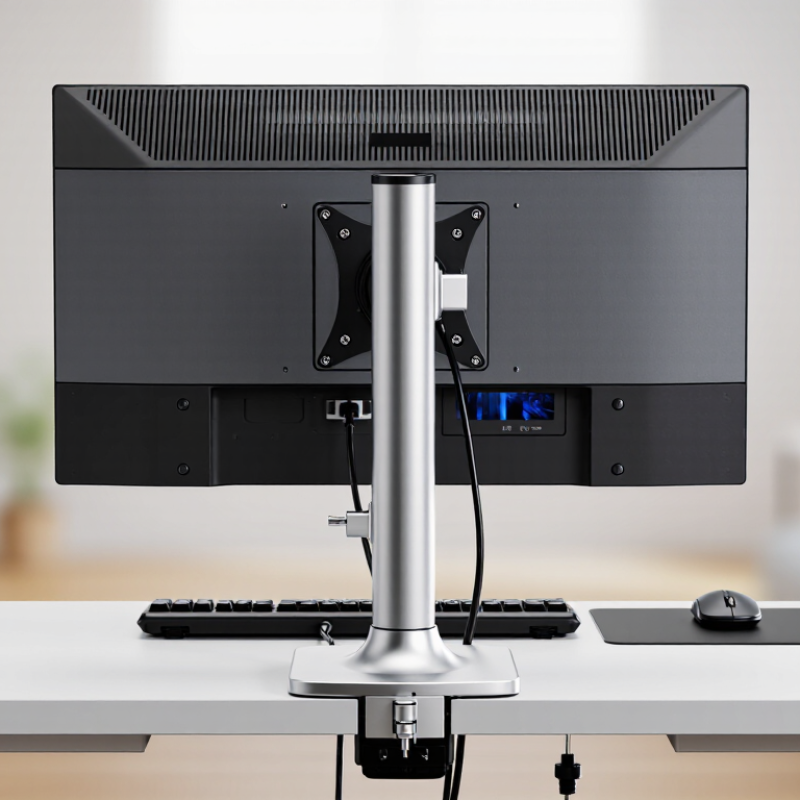
A 360° swivel stand should be selected by its VESA mounting pattern, not appearance alone. VESA measures the distance between four mounting holes on the display’s rear panel. Common sizes range from 75×75 mm to 200×200 mm. Smaller 75×75 and 100×100 patterns often suit compact monitors. Larger 200×200 patterns usually support heavier screens, but weight limits still matter.
In practical installations, I check three details before choosing a stand: VESA size, display weight, and screw depth. A 100×100 mm screen may fit physically, yet exceed the stand’s safe load. That distinction is easy to miss. Some displays use recessed holes, requiring spacers or longer screws. Do not force the hardware. It can damage the mounting points.
VESA compatibility also helps define stand types. Fixed-base swivel stands suit desks needing simple horizontal rotation. Clamp-mounted models save surface space and work well beside narrow workstations. Wall-mounted swivel arms provide wider movement, but their wall strength and extension length need careful review. A full 360° claim may describe rotation around the pole, not unlimited screen movement in every direction. Check the adjustment range. I have seen buyers focus on rotation and overlook cable tension. Leave enough slack for HDMI, power, and USB cables. Even a correct 200×200 fit can feel unstable when the screen is top-heavy. The specification is useful, but real balance deserves a second look.
2026 Best 360° Swivel Stand Buying Guide
360° Swivel Stand Types by VESA Mounting Standard
VESA compatibility is determined by the horizontal and vertical distance between the mounting holes, measured in millimeters. A 75×75 mm or 100×100 mm pattern is commonly used for smaller displays, while 200×100 mm and 200×200 mm patterns support larger monitor and television mounting layouts. Always verify the display’s VESA pattern and the stand’s supported load before purchasing a 360° swivel stand.
Compare Load Capacity, Tilt Range, and Safety Margins Using Manufacturer Ratings
2026 Best 360 Degree Swivel Stand Buying Guide?
A 360-degree swivel stand should be judged by more than rotation. Compare its manufacturer-rated load with the complete equipment weight, including cables and adapters. A 40 kg rating is not a recommendation to load 40 kg. A practical screening target is a 2:1 load margin, although this is not a universal certification requirement. For example, a 28 kg setup on a 40 kg stand has only a 1.43 ratio. That may feel stable, but it leaves limited protection against sudden movement.
Tilt range also changes the center of gravity. A stand tilting 15 degrees forward can create more overturning force than its brochure suggests. Check whether the rated capacity applies during rotation and maximum tilt. UL 1678 provides relevant safety guidance for audio and video carts and stands, while ANSI/BIFMA testing principles emphasize stability and structural performance. The U.S. Consumer Product Safety Commission reported an estimated 54,700 furniture tip-over injuries treated annually from 2018 to 2022. That figure deserves attention.
Tips: Measure the footprint first. Keep heavy equipment low. Lock the swivel before adjusting tilt. Test every position slowly, especially on carpet. Inspect bolts after installation. I still find one weakness in many comparisons: ratings rarely explain floor conditions. A stand stable on concrete may wobble on thick carpet, so real-world testing remains essential.
Evaluate Full-Rotation Smoothness Through Bearing Design and Cycle-Life Testing
A 360-degree swivel stand should not be judged by a single smooth turn. Bearing design determines whether that motion remains controlled after months of use. Ball bearings usually reduce starting friction, while crossed-roller bearings offer stronger guidance under uneven loads. Thrust bearings can carry vertical pressure, but poor preload may create stiffness or noisy spots. I would check rotational torque at several positions, not only at zero degrees. Small defects often hide there.
ISO 281:2007 defines bearing rating life as the revolution count that 90% of identical bearings can reach under specified conditions. This is useful, but it does not fully represent a swivel stand. Users create vibration, side loads, dust exposure, and sudden stops. A practical evaluation should record starting torque, running torque, wobble, and noise during repeated cycles. Test at least three load levels. Include a 360-degree reversal after every turn. Simple, but revealing.
ISO 15243:2017 links bearing damage to causes such as contamination, brinelling, and fatigue. That guidance helps inspectors identify why motion worsens. A cycle-life test should photograph the raceway before testing and after fixed intervals, such as 10,000 and 50,000 cycles. Record temperature too. Heat can expose excessive friction. I would not treat one successful sample as proof of durability; sample variation matters. The test may still miss real household abuse, which remains an uncomfortable limitation.
Check 2026 Compatibility: Display Size, Weight, Cable Routing, and Warranty Terms
2026 Best 360 Degree Swivel Stand Buying Guide
Display compatibility requires more than matching screen size. Measure the display’s width, height, mounting pattern, and actual weight without guesswork. A 32-inch screen may fit the advertised range but still feel unstable. Check the stand’s supported weight, including accessories attached to the display.
Test rotation clearance before buying. A full 360-degree swivel needs open space behind the screen. Walls, desks, and nearby lamps can stop movement early. The stand should turn smoothly without sudden resistance. During one setup, I overlooked a rear cable plug and lost nearly half the rotation. That mistake was avoidable.
Cable routing deserves close inspection. Look for a hollow column, wide cable channels, and flexible exit points. Thick power cables may bend sharply inside narrow passages. This can create strain over time. Review the warranty carefully, including coverage length, load-related exclusions, installation requirements, and replacement procedures. Keep your receipt and installation photos. They may help if the base develops looseness later. Specifications can look precise, yet real desks vary. Measure twice.